If you’ve been staring at reports trying to make sense of AEO mentions vs citations, here’s the short version: they are not the same metric, and mixing them up wastes budget. Your brand’s name can show up in ChatGPT a dozen times this week while referral traffic from AI stays flat. That gap is exactly what this article explains.
If you’re serious about answer engine optimization, stop treating “the AI said our name” as one metric. A mention gets you recognized. A citation gets you clicked. Confuse the two and you’ll chase the wrong number for months.
What Is an AEO Mention?
An AEO mention is when an AI answer says your brand, product, or founder by name, with nothing linked to it. Ask ChatGPT for the best project management tools for small teams, and your product shows up in the list. No source card. No footnote. Just your name, sitting in the text.
That still counts for something. It tells you the model has learned who you are and links you to your category. AEO mentions build from signals across the web, not just your own site: press coverage, Reddit threads, G2 reviews, podcast transcripts, Wikipedia. The model surfaces your name from wherever it’s seen it enough, whether or not that source is yours.
But a mention hands the reader nothing to click. You can’t trace it in analytics. You can’t tie it to a lead. It’s awareness, not traffic.
What Is an AEO Citation?
An AEO citation is different. It’s when the AI answer points back to a specific page, a linked source, a footnote, or a “sources” list under the response. Ask Perplexity the same question, and if it pulls a stat from your comparison page, your URL might show up right there.
A citation means your content is acting as evidence, not just your name acting as a brand token. The reader can click through. You can track that visit. You can connect it to a signup or a demo request. This is the piece of AEO that shows up in your traffic reports, which is why our answer engine optimization guide treats citation rate as the primary KPI, not mentions.
AEO Mentions vs Citations: The Core Differences
AEO Mention
AEO Citation
What it is
Brand name, no link
Specific page linked
Comes from
Anywhere your name appears
Your own content, used as a source
Builds
Brand recall
Referral traffic
Measured by
Mention rate
Citation rate, tracked by URL
Earned by
Being talked about
Being clear and citable
Mentions come from being talked about. Citations come from being useful enough, in one specific piece of content, that the model links to you instead of paraphrasing from memory.
Why the AEO Mentions vs Citations Gap Matters
Track only mentions and you’ll think your AEO strategy is working when it’s really your PR team’s. A product launch or a viral Reddit thread can spike mention rate without your website changing at all. That’s a vanity number if it’s justifying content budget.
Citations are the harder win, and the bar keeps moving. Ahrefs tracked millions of AI Overview citations and found only about 38% of cited pages were also ranking in Google’s top 10 for that query down sharply from 76% earlier the same year. Organic rank still helps, but it’s a weaker predictor of citations than it used to be.
What matters more now: one specific page answered one specific question better than the alternatives the model had to choose from. That’s true whether or not that page ranks on page one.
The practical split: mentions tell you if people are talking about you. Citations tell you if your content is doing the work.
How to Turn AEO Mentions Into Citations
Getting mentioned is mostly out of your hands, since it happens on other people’s platforms. Getting cited is far more in your control, because it comes down to what you publish.
Answer one specific question clearly, near the top, before the backstory. Models pull from content that gets to the point fast. Add real data of your own: survey numbers, benchmarks, something nobody else has published.
A page that just restates common knowledge offers nothing to a system that already knows the common knowledge. Keep pages current, too. A stale stat from three years ago loses to a competitor’s page updated last month.
Structure helps more than people assume: clear headers, a direct answer up top, and comparison tables like the one above make it easy for a model to lift your content cleanly instead of skipping past it. If you haven’t mapped which pages already carry authority on your core topics, our guide to building topical authority is a useful starting point before you rewrite anything.
E-E-A-T and AEO Citations
Google built E-E-A-T for search rankings, but it maps almost directly onto whether an AI system trusts your page enough to cite it.
Experience means the content reads like it came from someone who actually did the thing. A guide to running Facebook ads written by someone who’s spent the budget reads differently than one stitched together from other guides.
Expertise is depth on the subject. Bylines matter here a finance page written by a CFP carries more weight than an unsigned post, whether a human or a model is doing the trusting.
Authoritativeness is what other credible sources say about you: backlinks from established sites, mentions in industry publications, a Wikipedia entry if you’ve earned one. It’s built mostly outside your own site, over time.
Trustworthiness covers the basics: an accurate about page, clear authorship, sources cited for your own claims, no dead links. Weak trust signals come close to disqualifying a page from being cited at all, not just dinging it slightly.
None of this guarantees a citation. But skip it, and you’re asking a system built to avoid shaky sources to trust a page that doesn’t look reliable.
How to Track AEO Mentions and Citations
Manually, this means running a set of core queries, maybe 20 to 30, across ChatGPT, Perplexity, Gemini, and Google AI Overviews on a set schedule. Log whether you show up and whether you’re linked.
It’s tedious but doable for a small brand. Larger teams usually move to a dedicated AI visibility platform that automates the same check across more prompts and engines at once.
Either way, keep the two numbers separate on your dashboard. A rising mention rate next to a flat citation rate tells you exactly where to focus next quarter.
The Bottom Line
AEO mentions and citations aren’t competing metrics. They’re different stages of the same funnel. Mentions get your name into the conversation. Citations turn that conversation into traffic you can measure.
Chase both, but don’t let a good mention number talk you out of fixing the content problems keeping your citation rate flat.
FAQ:
Is an AEO mention worth anything if it doesn’t drive traffic?
Yes. It builds recall and helps the model link your name to your category, which makes future citations more likely. Just don’t report it as a traffic metric.
Can a brand earn AEO citations without being mentioned by name? Yes. A model can link to your page as a source while describing the content generically, without naming your company in the answer itself.
Which matters more for a new brand, mentions or citations? Mentions, early on. You need entity recognition before a model treats your pages as trustworthy sources. Citations tend to follow once you’ve built some recognition.
Do AEO citations always point to your own website? Almost always. A citation points to an asset you control that’s what separates it from a mention, which can come from any source talking about you.
How often should I check my mention and citation rates? Monthly works for most brands. AI answers shift often enough that quarterly checks miss real movement, but daily tracking is overkill for most teams.
Does updating old content actually improve citation rate? It can, especially for pages with outdated stats. Models favor fresher, more specific content when several pages could answer the same question equally well.
Are AEO mentions and citations tracked the same way across platforms? No. Each platform surfaces sources differently some show clear source cards, others bury attribution, so tracking has to account for each platform’s format.
Can a negative AEO mention still count as a mention? Yes, and it’s worth flagging on its own. A high mention rate with negative sentiment is a different problem than low visibility, and it needs a different fix.
Does schema markup help with AEO citations? It can help a model parse your page’s structure and pull the right section cleanly, but it won’t substitute for genuinely useful content.
Is AEO replacing traditional SEO? No. Strong SEO fundamentals, technical health, backlinks, and topical authority still shape whether AI systems trust and cite a page. AEO builds on that foundation rather than replacing it.
Google ranks web pages based on how effectively they satisfy a user’s search intent and the quality of the technical experience they provide. Page experience is the holistic set of signals that measures how users perceive the experience of interacting with a web page beyond its pure informational value. Core Web Vitals are the primary, user-centric metrics within this framework that quantify a page’s loading speed, interactivity, and visual stability.
In technical SEO, these metrics are essential because they serve as a direct ranking signal and algorithmic tiebreaker. When multiple websites offer content of similar quality and authority, Google favors the faster, more stable page to ensure searchers have a positive browsing experience. Aligning your website with these performance standards helps maximize your organic search visibility, lower bounce rates, and improve conversion rates across all devices.
What Google’s Page Experience Signals Are and How They Rank Pages
Google’s Page Experience update, introduced in 2021 and refined continuously since then, evaluates how users interact with a webpage in addition to the quality of its content. The current Page Experience framework includes four key signals:
Core Web Vitals (LCP, INP, and CLS), which measure loading speed, responsiveness, and visual stability.
Mobile Usability, which assesses whether a page is easy to use on mobile devices.
HTTPS, which verifies that the website uses a secure connection.
Safe Browsing, which checks for malware, deceptive content, or harmful downloads.
These signals are not primary ranking factors but act as a tiebreaker when competing pages offer similar content quality. Google has consistently stated that high-quality content remains the most important ranking factor. However, when multiple pages are equally relevant and authoritative, a better page experience can influence which page ranks higher.
Website owners can monitor these signals in Google Search Console under the Experience section, which includes reports for Core Web Vitals, Mobile Usability, and HTTPS. Pages marked as Poor in any of these reports represent clear opportunities for optimization, and improving these metrics can contribute to better search visibility.
Example: Two marketing services websites target the keyword “Best AEO Agency in Gurugram “ Both publish comprehensive, well-structured content covering loan types, eligibility requirements, and lender comparisons. The key difference is performance. Site A achieves Good Core Web Vitals across all pages, while Site B has an average Largest Contentful Paint (LCP) of 5.2 seconds on mobile, causing 60% of its pages to fall into the Poor category. Although both sites provide content of comparable quality, Site A delivers a better overall user experience and ranks #2, while Site B ranks #7. After Site B improves its LCP to 2.1 seconds, moving its pages into the Good category, its ranking improves from #7 to #3 within approximately six weeks, despite making no changes to its content.
What Are Core Web Vitals?
Core Web Vitals are a specific set of three performance metrics that Google uses to evaluate the user experience of a web page. These metrics measure how fast a page loads its primary content, how quickly the page responds to user inputs, and how stable the visual layout remains while loading.
Google introduced these metrics to standardize the way web performance is measured across the internet. Instead of relying on arbitrary metrics like total page weight or generic load times, Core Web Vitals focus on perceived performance. They answer three critical questions from the perspective of a real human visitor:
When does the main content become visible?
How fast can I interact with this page?
Does the content move around unexpectedly while I read?
Every metric is tied to a specific threshold categorized as Good, Needs Improvement, or Poor. To pass the Core Web Vitals assessment, a page must meet the Good threshold for all three metrics based on actual user data collected over a rolling 28 day period.
Why Core Web Vitals Matter for SEO
Here is something we tell every client during onboarding: Core Web Vitals will not single handedly take a page from position 40 to position 1. Content relevance, search intent, backlinks, and topical authority still carry far more weight. But Core Web Vitals decide whether Google views your page as a pleasant place to send searchers, and that matters more with every algorithm update.
Google has been explicit that page experience, including these metrics, is part of its ranking systems. When two pages are otherwise similar in quality and relevance, the one with the better experience has an edge. In competitive niches, where dozens of pages cover the same topic with similar depth, that edge is often the deciding factor.
There is also a business case that has nothing to do with rankings. Slow, unstable pages lose visitors before they convert. We have watched bounce rate drop and time on page increase on the exact same content, with the exact same word count, purely because loading became faster and the layout stopped jumping while someone was trying to read. Search engines eventually notice that behavior too, because user engagement signals feed back into how content performs over time.
Expert Tip: Do not treat Core Web Vitals as a checkbox exercise for Google. Treat it as a customer experience project that happens to also help your SEO. That framing keeps teams motivated even after the technical fixes are done.
Understanding the Core Web Vitals Metrics
Largest Contentful Paint (LCP)
Largest Contentful Paint measures how long it takes for the biggest visible element on the screen to fully render. This is usually a hero image, a large heading, a banner, or a product photo above the fold. It is not about when the page starts loading. It is about when the part a visitor actually came to see is ready to look at.
Picture walking into a restaurant. The doors opening is not the moment that matters to you. What matters is when your food arrives at the table. LCP is the moment the meal arrives, not the moment you sat down.
Google’s accepted thresholds for LCP are:
Rating
LCP Time
Good
2.5 seconds or less
Needs Improvement
2.5 to 4 seconds
Poor
More than 4 seconds
In our audits, the most common LCP culprits are unoptimized hero images, fonts that block rendering, and server response times that are slow before a single byte of the page even reaches the browser. We will cover fixes for all three later in this guide.
Interaction to Next Paint (INP)
Interaction to Next Paint replaced First Input Delay as the official responsiveness metric, and it is a more honest measurement of the experience. INP looks at every interaction a visitor makes across the entire time they are on the page, click, tap, key press, and measures how long the browser takes to visibly respond. Instead of only checking the first click, it checks all of them and reports the worst delay that was still typical of the session.
Imagine tapping a light switch and the bulb takes half a second to turn on. It works, but it feels broken. That lag is exactly what INP catches, except it happens inside your website every time someone opens a menu, adds a product to a cart, or submits a form.
Rating
INP Time
Good
200 milliseconds or less
Needs Improvement
200 to 500 milliseconds
Poor
More than 500 milliseconds
Heavy JavaScript is the usual suspect here. Every script that runs on the main thread competes with the browser’s ability to respond to a tap. Sites with dozens of tracking scripts, chat widgets, and third party embeds tend to struggle most with INP, even if their LCP looks fine.
Cumulative Layout Shift (CLS)
Cumulative Layout Shift measures visual stability. It calculates how much content unexpectedly moves around while a page is loading or while someone is interacting with it. A high CLS score usually means one of two things: you have tried to tap a button and hit something else instead, or you have started reading a paragraph and had it jump down the screen because an ad loaded above it.
Think of it like reading a newspaper where someone keeps sliding the page a few inches to the left every few seconds. Nothing is broken, technically, but the experience is frustrating enough that most people give up.
Rating
CLS Score
Good
0.1 or less
Needs Improvement
0.1 to 0.25
Poor
More than 0.25
CLS is scored, not timed. It is a unitless number calculated from how much of the viewport shifted and how far it moved. Images without set dimensions, web fonts that swap in and change text size, and ads injected into the page without reserved space are the three most common causes we find during audits.
Core Web Vitals vs Website Speed
People often use “website speed” and “Core Web Vitals” interchangeably, but they are not the same thing, and the distinction matters when you are prioritizing fixes.
Website speed is a broad idea. It can refer to server response time, total page weight, how fast a database query runs, or how quickly a checkout page processes an order. Core Web Vitals are a narrow, specific subset of speed that focuses only on what a visitor actually perceives during the loading and interaction experience.
A page can technically load in under a second according to a raw network waterfall, yet still fail LCP if the biggest visible element is delayed by a render blocking script. Conversely, a page can take a few seconds to fully finish loading everything in the background, fonts, analytics, chat widgets, while still passing Core Web Vitals comfortably, because the visible content and interactivity were ready early.
The practical takeaway: optimizing for Core Web Vitals will almost always improve general website speed as a side effect, but optimizing for speed alone does not guarantee you will pass Core Web Vitals. You need to target the specific rendering and interaction milestones these metrics track.
Other Performance Metrics You Should Know
Core Web Vitals get the spotlight, but a handful of supporting metrics help explain why a page scores the way it does.
Metric
What It Measures
Why It Matters
Time to First Byte (TTFB)
How long the server takes to send the first byte of response
Slow TTFB delays everything else, including LCP
First Contentful Paint (FCP)
When the first piece of content appears, text or image
An early signal that something is happening on screen
Total Blocking Time (TBT)
Total time the main thread is blocked during load
A lab proxy for real world INP issues
Speed Index
How quickly content visually populates during load
Useful for comparing before and after performance changes
DOM Content Loaded
When the HTML has been fully parsed
A developer focused checkpoint, less relevant to visitors
None of these are official ranking factors the way Core Web Vitals are treated, but they are diagnostic tools. When LCP is poor, TTFB and render blocking resources are almost always part of the explanation. When INP is poor, Total Blocking Time in Lighthouse will usually point you in the right direction.
What Causes Poor Core Web Vitals?
After running audits across small business sites, ecommerce stores, and content heavy blogs, the same handful of root causes show up again and again.
Server side issues
Shared hosting plans with limited resources
No caching layer for dynamic pages
Database queries that were never optimized
Server locations far from the majority of visitors
Front end issues
Large, uncompressed hero images
Web fonts that block text from rendering
Render blocking CSS and JavaScript in the page head
Ads, popups, or embeds injected without reserved space
Excessive third party scripts, especially chat widgets and marketing pixels
Animations that trigger layout recalculations
Content and design decisions
Autoplaying carousels above the fold
Cookie banners that shift content when dismissed
Custom fonts loaded from multiple third party sources
Oversized, non-optimized product image galleries on ecommerce pages
Expert Tip: If you inherited a website built by a previous agency or freelancer, do not assume the foundation is clean. We regularly find plugins nobody remembers installing, still loading scripts on every single page.
Step-by-Step Guide to Improve Core Web Vitals
Optimize Images
Images are usually the single biggest lever for improving LCP. Start by making sure every image is compressed to a reasonable file size without visible quality loss. Modern formats like WebP or AVIF typically shrink file size by 30 to 50 percent compared to standard JPEG or PNG files.
Beyond compression, always define width and height attributes on your image tags. This lets the browser reserve space before the image loads, which directly prevents layout shift. Serve responsive images sized appropriately for the device requesting them rather than sending a desktop sized image to a phone.
For an ecommerce store with hundreds of product photos, batch processing images through an automated pipeline during upload saves enormous manual effort compared to compressing each one by hand.
Improve Hosting
No amount of front end optimization fully compensates for a slow server. If your Time to First Byte is consistently above 600 milliseconds, hosting is likely part of the problem. Shared hosting plans that pack hundreds of sites onto one server tend to struggle under any real traffic. Managed hosting, a VPS, or a properly configured cloud server usually resolves this immediately.
For a growing service business with seasonal traffic spikes, choosing hosting with autoscaling prevents the site from crawling to a stop during a busy month. For ecommerce stores, a server located close to the majority of the customer base cuts network latency noticeably.
Reduce JavaScript
JavaScript is usually the leading cause of poor INP. Every script that executes has to compete for the browser’s main thread, and a busy main thread cannot respond quickly to a tap or click.
Practical steps include removing scripts you no longer use, deferring non critical scripts so they load after the visible content, and breaking large JavaScript bundles into smaller chunks so the browser is not forced to process one massive file at once. For React and other JavaScript heavy websites, code splitting by route is one of the most effective changes you can make, since visitors only download the code needed for the page they are viewing.
Expert Tip: Audit every third party script individually. We have seen single chat widgets responsible for more render blocking time than the entire rest of a page combined.
Optimize CSS
Unused CSS and render blocking stylesheets slow down the path to LCP. Identify the CSS needed to render the visible portion of the page, often called critical CSS, and inline it directly in the page head so the browser does not have to fetch an external file before painting anything. Load the remaining stylesheet asynchronously once the critical content is visible.
Minifying CSS, removing unused selectors, and consolidating multiple stylesheets into one reduces the number of requests the browser has to make before it can finish styling the page.
Browser Caching
Caching tells a returning visitor’s browser to reuse files it already downloaded instead of requesting them again. Setting proper cache headers for images, CSS, JavaScript, and fonts means repeat visits load dramatically faster, which matters enormously for blogs and content sites where readers return often.
Server side caching, sometimes called page caching, stores a fully rendered version of a page so the server does not have to rebuild it from scratch on every request. For WordPress sites running on PHP with a database call for every page load, this single change often produces the most noticeable speed improvement of any fix on this list.
CDN
A Content Delivery Network stores copies of your static files, images, CSS, JavaScript, on servers distributed around the world. When a visitor requests your site, they are served from the nearest location instead of traveling all the way to your primary server.
For a business with visitors across multiple countries or a large geographic area, a CDN reduces latency meaningfully. Even for a local service business, a CDN still helps because it offloads static file delivery from your main server, freeing it up to handle dynamic requests faster.
Font Optimization
Custom fonts are a common, underestimated source of poor LCP and layout shift. When a browser has to download a font before it can display text, that text is either invisible or shown in a fallback font that later swaps out, both of which can hurt your metrics.
Host fonts on your own server rather than pulling them from a third party service where possible. Use font-display: swap so text is visible in a fallback font immediately rather than staying blank. Limit yourself to two or three font weights instead of loading every variant a design file happens to include.
Third Party Scripts
Analytics tools, chat widgets, marketing pixels, and embedded videos all add weight and often run scripts that block the main thread. Audit these regularly and remove anything that is not actively providing value. For scripts you need to keep, load them asynchronously or defer them until after the page has become interactive.
Expert Tip: Marketing teams often add new tracking pixels without informing the development team. Build a quarterly review into your process so nobody’s script tag creeps back in unnoticed.
Lazy Loading
Lazy loading delays the loading of images and videos that are not yet visible in the viewport until the visitor scrolls near them. This reduces the initial page weight significantly, especially on long pages like blog posts with many images or ecommerce category pages with dozens of product thumbnails.
The one exception is your LCP element itself. Never lazy load the image or content block that is likely to be your largest contentful paint target, since that would delay the very metric you are trying to improve.
Best Tools to Measure Website Performance
Tool
Data Type
Best For
Google PageSpeed Insights
Lab and field
Quick overall check combining real user and simulated data
Google Search Console
Field
Site wide Core Web Vitals report across real visitors
Lighthouse
Lab
Detailed technical audit and opportunities list
GTmetrix
Lab
Waterfall analysis and historical tracking
Chrome User Experience Report
Field
Aggregated real world data by URL or origin
WebPageTest
Lab
Advanced testing across devices, locations, and connections
We recommend checking Google Search Console monthly at minimum, since it reflects how real visitors are experiencing your pages rather than a single simulated test.
Lab Data vs Field Data
This distinction confuses more people than any other part of Core Web Vitals, so it is worth explaining clearly.
Lab data comes from a controlled test, run once, on a simulated device and network connection. Tools like Lighthouse and GTmetrix generate lab data. It is consistent and repeatable, which makes it excellent for debugging a specific issue, but it does not reflect the variety of real devices and connections your actual visitors use.
Field data, also called Real User Metrics, comes from actual visitors using your site with their own devices, their own network conditions, and their own browsing behavior. Google Search Console and the Chrome User Experience Report are built on field data. This is what Google actually uses when evaluating page experience for ranking purposes.
A page can pass every lab test comfortably and still fail in the field, because your real visitors are mostly on older phones with slower connections than the lab simulation assumed. Always treat lab data as a diagnostic tool for finding and testing fixes, and field data as the actual scorecard that matters for SEO.
Common Core Web Vitals Mistakes
Fixing lab scores without ever checking field data in Search Console
Compressing images once and never revisiting new uploads
Adding a CDN without configuring cache rules correctly
Assuming a fast desktop test means the mobile experience is fine
Ignoring INP because it feels harder to diagnose than LCP
Reserving space for images but forgetting about embedded ads and iframes
Chasing a perfect 100 score instead of the actual thresholds that matter
Making one round of fixes and never testing again after future content updates
Expert Tip: Core Web Vitals are not a one time project. New plugins, new content, new ad placements, and new marketing scripts all chip away at performance over time. Build a recurring review into your maintenance schedule.
CMS Specific Optimization For Core Web Vitals
WordPress
WordPress sites usually suffer from plugin bloat more than anything else. Every plugin adds its own CSS, JavaScript, and sometimes database queries. Audit your plugin list regularly and remove anything unused. Use a caching plugin alongside a lightweight, well coded theme, and be selective about page builders, since some generate significantly heavier code than others for the same visual result.
Shopify
Shopify stores are constrained by the platform’s own infrastructure, so most of the optimization opportunity lives in theme code and app choices. Every installed app tends to inject its own script, so audit your app list the same way you would audit WordPress plugins. Compress product images before upload, and be cautious with themes that load large hero videos or carousels above the fold.
WooCommerce
WooCommerce combines WordPress’s plugin related challenges with the added weight of cart and checkout functionality. Product image galleries are usually the biggest LCP concern, so make sure they are properly compressed and sized. Object caching becomes important here since WooCommerce runs frequent database queries for cart and inventory data.
Next.js
React based frameworks like Next.js give you fine grained control over performance, which is both an advantage and a responsibility. Use built in image optimization components rather than plain image tags, take advantage of automatic code splitting by route, and be deliberate about which components render on the server versus the client, since unnecessary client side rendering adds to your JavaScript execution time and hurts INP.
Static Websites
Static sites have a natural performance advantage since there is no database query slowing down the server response. The main risks here are unoptimized images, excessive third party scripts added through a page builder, and web fonts loaded without proper display settings. Because the foundation is already fast, small mistakes stand out more clearly in testing.
If your CMS migration or rebuild feels overdue, this is exactly the kind of project our <em>Website Development</em> team handles alongside performance considerations from day one.
Core Web Vitals Checklist
Images
Compress all images and use modern formats where supported
Define width and height on every image tag
Lazy load below the fold images, never the LCP element
Server and Hosting
Confirm TTFB is consistently under 600 milliseconds
Enable server side page caching
Use a CDN for static assets
Code
Remove unused CSS and JavaScript
Defer or async non critical scripts
Inline critical CSS for above the fold content
Fonts
Host fonts locally where possible
Use font-display: swap
Limit the number of font weights loaded
Third Party Scripts
Audit all scripts quarterly
Remove unused tracking pixels and widgets
Load remaining scripts asynchronously
Testing
Check Google Search Console monthly for field data
Run Lighthouse after every major content or design change
Test on an actual mid range mobile device, not just desktop
Conclusion
Optimizing for Core Web Vitals comes down to one thing: respecting your visitors’ time and attention. Every improvement you make, whether it is compressing a hero graphic, fixing a shifting layout, or cleaning up heavy scripts, makes your website easier and more pleasant to use.
Web performance requires ongoing attention rather than a single fix. New content, plugins, and marketing scripts will always introduce new performance risks. Make it a habit to check your Search Console data and run diagnostics after any major site update.
Frequently Asked Questions
What are Core Web Vitals in simple terms?
Core Web Vitals are three specific measurements Google uses to judge how fast a page feels to load, how quickly it responds to interaction, and how visually stable it stays while loading.
Are Core Web Vitals a direct Google ranking factor?
Yes, they are part of Google’s page experience signals, though content quality and relevance typically carry far more weight in ranking decisions.
What is a good LCP score?
A Largest Contentful Paint of 2.5 seconds or less is considered good according to Google’s published thresholds.
What replaced First Input Delay?
Interaction to Next Paint replaced First Input Delay as the official Core Web Vital for measuring responsiveness.
What is a good CLS score?
A Cumulative Layout Shift score of 0.1 or lower is considered good.
Can a fast website still fail Core Web Vitals?
Yes. A site can feel generally fast while still failing a specific metric, such as layout shift caused by late loading ads, even if overall load time seems reasonable.
How often should I check my Core Web Vitals?
We recommend reviewing Search Console data monthly and running a full lab test after any significant content, design, or plugin update.
Does mobile performance matter more than desktop?
Google evaluates mobile and desktop separately, and since most search traffic today comes from mobile devices, mobile performance tends to have a larger practical impact.
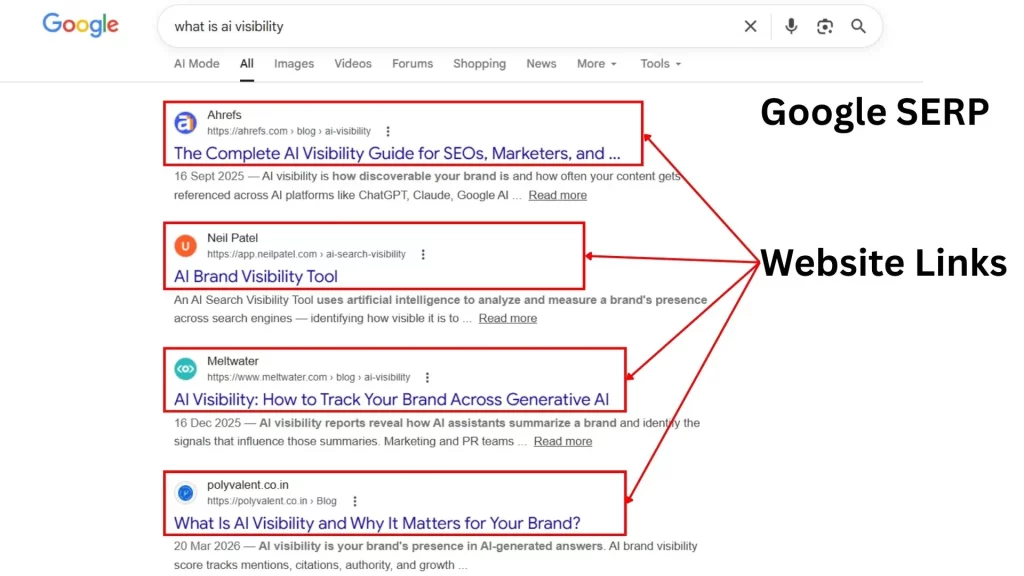
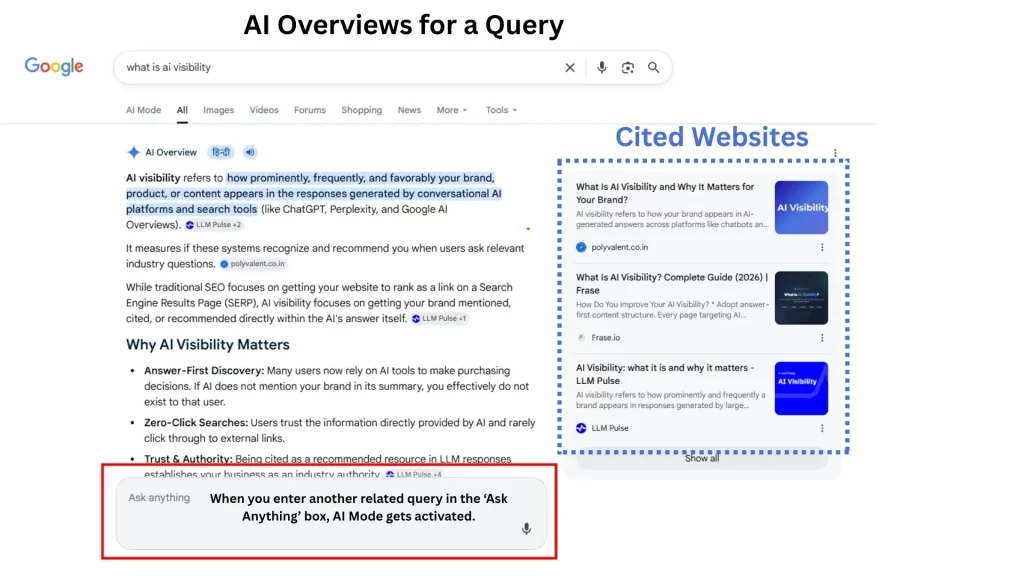
Google search used to be a straightforward transaction. Earlier, a user typed a query into Google and clicked through a list of ten blue links. Now, the experience is very different. Google has become both a search engine and an assistant that can summarize, explain, and guide users through information.
Google Traditional SERP
With AI Overviews and the rise of AI Mode powered by Gemini, search now works in two distinct ways. This shift is changing how brands get discovered online.
For businesses and SEO professionals, the goal is no longer only about ranking at the top of search results. It is about understanding how these two experiences work.
AI Overviews focus on quick summaries, while AI Mode creates a more interactive and conversational search journey. Since both surfaces pull and present information differently, they also need different SEO and content strategies.
Why So Many People Are Confused About Google’s AI Features
The confusion starts with branding. Over the past two years, Google has rolled out several AI features across its products, which has made the naming a bit confusing at times. Gemini itself is the AI model that powers many of these experiences.
AI Overviews is a search feature. AI Mode is a separate search experience. They are related but not the same thing.
Most coverage in the SEO industry either conflates these features or discusses them in isolation without explaining the relationship between them. That makes it difficult to understand what you are actually optimizing for, or which feature is even responsible for a drop in your click-through rates.
AI Overviews are the snapshots that appear at the top of the standard search engine results page (SERP). They are designed for speed, providing a quick synthesis of information so the user doesn’t have to click through multiple websites.
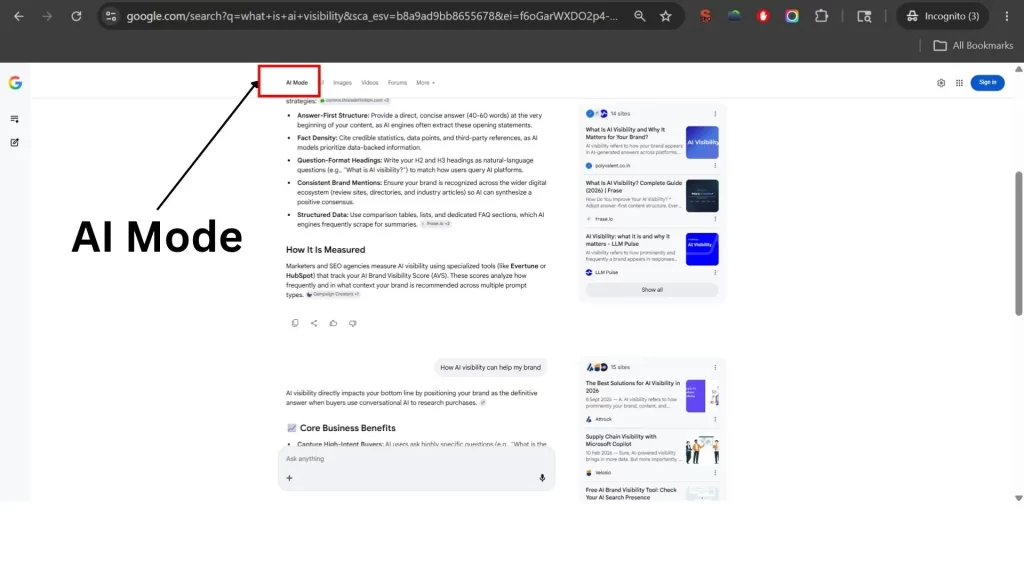
AI Mode, often accessed via the Gemini tab or the “Ask a follow up” button, is a dedicated conversational environment. This is where search becomes a dialogue. Instead of a single answer, the user engages in a multi-turn investigation. While they share the same underlying intelligence, the way they select sources and present brands is strikingly different.
What Are AI Overviews?
AI Overviews are the AI-generated summary boxes that appear at the top of Google’s standard search results page for certain queries. Google rolled these out broadly in the United States in mid-2024 following the earlier Search Generative Experience (SGE) testing period.(Now rolled out worldwide as AI Overviews)
AI Overviews
When a user searches for something like “how does compound interest work” or “best approach to content audits,” they may see an AI-generated paragraph or two at the top of the page, pulling from multiple sources and presenting a synthesized answer. Below that, traditional organic results continue to appear.
The visibility implication is significant. For informational queries where AI Overviews appear, many users get a satisfactory answer without clicking through to any website. This is the zero-click problem that SEOs have been discussing since Featured Snippets became common. AI Overviews accelerate that pattern considerably.
That said, AI Overviews do cite sources. If your content is cited, you may appear at the top of the page with an attributed link inside the AI response. That kind of visibility can drive branded awareness even without a direct click. However, earning that citation is not a simple process. Google does not give clear guidelines on which sources it pulls from, and the selections can seem inconsistent from one query to the next.
What Is AI Mode?
AI Mode represents a much bigger shift from traditional search. Introduced in 2025, it moves away from the usual search results page and replaces it with a conversational experience. Instead of scrolling through a list of links, users interact directly with an AI assistant in a back-and-forth conversation. They can also ask follow-up questions naturally, just like chatting with a person.
AI Mode
It handles complex, multi-part queries especially well. If someone is trying to research a decision, compare options, or work through a problem, AI Mode allows users to do that within Google’s interface rather than hopping between multiple pages.
For publishers and brands, AI Mode creates a fundamentally different discoverability challenge. When a user never leaves the search interface, the entire web becomes more of a background data source than a destination. Organic traffic as a metric becomes less reliable as a measure of search visibility.
AI Mode vs AI Overviews: What Actually Differs
The most practical distinction is this: AI Overviews appear inside a traditional search results page as a supplemental feature. AI Mode is a separate mode that replaces the search results page with a conversational experience.
From a user behavior perspective, someone using AI Overviews still sees traditional results below the summary and may click on them. Someone using AI Mode is engaging with a conversation thread and may never navigate to a website at all.
From an SEO perspective, AI Overviews are more predictable to track. You can observe when they appear for specific queries, see which sources are cited, and monitor changes over time. AI Mode is harder to analyze because the responses are more dynamic and personalized. There is no fixed SERP to audit.
Both features reduce the volume of clicks that flow to organic results. But they do so through different mechanisms and at different scales. AI Mode, if it becomes the default search experience for a large portion of users, is the more transformative of the two.
The table below captures the most practically useful differences between the two features:
Dimension
AI Overviews
AI Mode
Where it appears
Inside standard Google Search results
Separate conversational interface, replaces the SERP
Response length
Concise, 1-3 paragraph summary
Roughly 4x longer than AI Overviews
User interaction
One-directional summary
Multi-turn conversational dialogue
Citation rate
Sources missing approximately 11% of the time
Sources missing only around 3% of the time
Brand/entity mentions
Average ~1.3 entities per response
Average ~3.3 entities per response
Preferred content types
Articles, video content, community platforms
Articles, encyclopedic and detailed health sources
Responses with no brands mentioned
~59% contain no brand or entity
~35% contain no brand or entity
Semantic agreement with each other
High: ~86% similarity in meaning
High: ~86% similarity in meaning
Source overlap between the two
Only about 14% of cited URLs appear in both
Only about 14% of cited URLs appear in both
Best for
Quick informational queries
Research-heavy, complex, multi-step queries
Why AI Overviews Sometimes Feel Off
Anyone who has spent time reading AI Overview responses has noticed that they are not always accurate. Google has acknowledged this. The model can misattribute claims, oversimplify nuanced topics, or produce responses that sound confident while being factually incomplete.
This creates a trust problem that is still unresolved. Users interacting with AI Overviews often cannot easily assess the reliability of the information they are seeing. The visual presentation is authoritative even when the underlying synthesis is imperfect.
For brands in industries where accuracy is critical, such as healthcare, legal, finance, or technical sectors, this shift deserves close attention. If an AI Overview incorrectly explains your product, service, or expertise, there is no simple way to directly fix or edit that information right now. The most effective approach is to create clear, well-structured, and reliable content that gives AI systems accurate information to reference.
This also highlights the growing importance of entity authority. The better Google understands your brand, what you do, and the topics you are associated with, the more accurately it is likely to present and summarize your business.
How AI Search Is Changing the Foundation of SEO
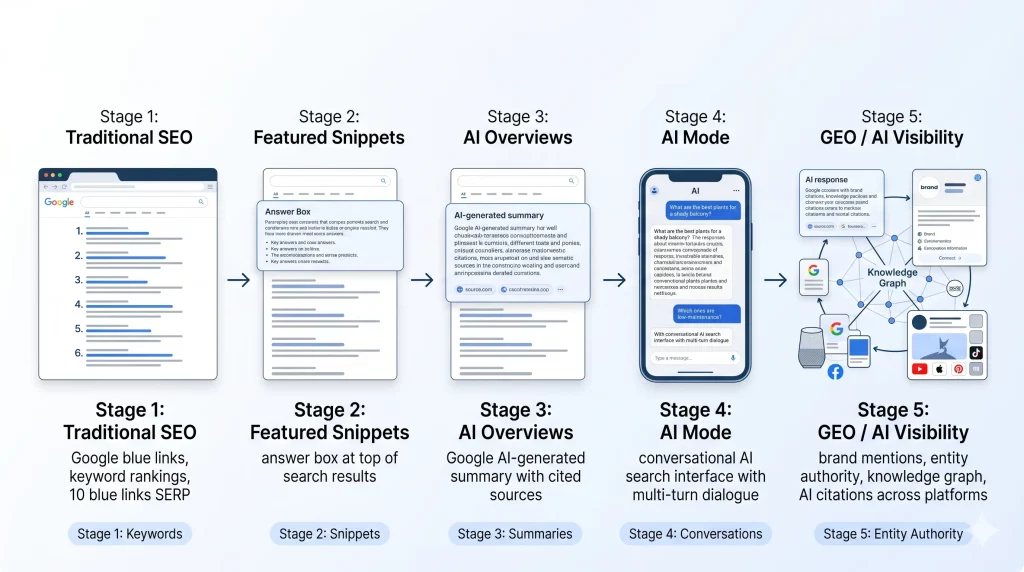
The shift toward AI visibility means that traditional keyword density is becoming a relic. We are moving into the era of Generative Engine Optimization (GEO).
Entity Authority and the Knowledge Graph
Google is no longer just looking for keywords; it is looking for entities. An entity is a well-defined person, place, or thing that Google recognizes in its Knowledge Graph. If you want to appear in AI Mode, your brand needs to be recognized as an authority on a specific entity. This is achieved through consistent mentions across high-authority platforms, deep topical coverage, and a clear “digital footprint” that links your brand to its expertise.
Semantic Relevance Over Exact Matches
In a conversational search, the user’s intent is often buried in the context of their previous questions. AI Mode uses “query fan-out,” where it runs multiple background searches to satisfy a single user prompt. This means your content needs to be semantically rich. It should answer the primary question while also addressing the “next” three questions a user is likely to ask.
The Role of Structured Data
Structured content and Schema markup have moved from “nice-to-have” to mandatory. While traditional SEO uses Schema to get rich snippets, AI SEO uses it to provide a roadmap for the LLM. By using technical markers to define exactly what a page is about—whether it’s a product review, a technical tutorial, or a case study—you help the AI cite you with greater accuracy and confidence.
The Shift from Rankings to Visibility
In the old world, we tracked rankings. In the new world, we track AI visibility.
As search evolves beyond traditional rankings, brands must understand what is AI Visibility and why it is becoming central to modern SEO. AI visibility measures how often and how accurately your brand is cited, mentioned, or surfaced across AI-powered search experiences like Google AI Overviews, AI Mode, and generative engines. In a search landscape shaped by summaries and conversations, visibility increasingly depends on being recognized as a trusted source.
In the old world, we tracked rankings. In the new world, we track AI visibility. Ranking #1 for a keyword is meaningless if an AI Overview occupies the top 800 pixels of the screen and doesn’t mention you.
At Polyvalent, we focus on “Mention-Based SEO.” This involves monitoring how often a brand is included in the generative responses of Gemini and other models. Visibility is about being the “Source of Truth” that the AI relies on to build its answer. If the AI uses your data but doesn’t link to you, that is a failure of visibility. If it mentions your brand as the leading solution in a conversational thread, that is a modern SEO win.
What Businesses Should Do Next
Success in this era requires a departure from the “content treadmill” of generic posts. Instead, the focus must shift toward Generative Engine Optimization by becoming a definitive reference point for models.
Start by auditing your high-priority pages through the lens of a researcher. If a user asks a follow-up question, does your content provide the answer? If not, you will likely be cut from the AI Mode conversation. Use AI visibility tools to identify these gaps where competitors are currently capturing the conversation.
Next, prioritize “Encyclopedic Depth” as a pillar of your AI SEO strategy. Since Google AI search favors comprehensive, well-cited information, your AI search optimization should focus on semantic breadth. By integrating Answer Engine Optimization principles, you ensure the AI cannot ignore your site as a primary source.
Finally, embrace the community. Because AI Overviews pull heavily from Reddit and specialized forums, your presence on these platforms is critical for AI visibility. The engine often weights its source selection, whether in Gemini vs AI Mode, based on trusted human discussions. Aligning your strategy with these shifts ensures a lasting AI Overviews SEO impact that extends beyond a single search session.
The Future of Conversational Search
We are witnessing the end of search as a static list. Search is becoming a fluid, iterative process where the interface adapts to the user’s needs in real-time. This doesn’t mean SEO is disappearing; it means it is becoming more sophisticated.
The winners in this new landscape will be the brands that move beyond the “search box” mindset. By understanding the functional differences between the quick summary of an AI Overview and the deep investigation of AI Mode, you can position your brand to be present at every stage of the user’s journey. At Polyvalent, we believe that visibility in the age of AI isn’t about gaming an algorithm—it’s about becoming the most reliable, authoritative voice in the digital conversation.
FAQ
Is AI Overview better than AI Mode?
Neither is inherently better; they serve different intents. AI Overviews are superior for quick factual retrieval and “at-a-glance” information. AI Mode is far better for complex tasks, multi-step planning, and deep research where the user needs to iterate on their original thought.
How does AI Mode affect SEO?
AI Mode shifts the focus from individual keywords to long-context authority. Because it generates much longer responses, it provides more space for brand mentions, but it also demands higher-quality, more comprehensive content to be considered a viable source for a multi-turn conversation.
What is AI SEO?
AI SEO, often called Generative Engine Optimization (GEO), is the practice of optimizing content to be recognized, synthesized, and cited by large language models. It prioritizes entity authority, semantic depth, and structured data over traditional ranking factors like exact-match keywords.
Is Gemini the same as AI Mode?
Gemini is the brand name for Google’s AI model and its standalone chatbot interface. AI Mode refers specifically to the conversational search experience within Google Search that is powered by the Gemini model. While they are part of the same family, AI Mode is integrated directly into the search journey.
Conclusion
Google Search is no longer just about rankings. It is evolving into an AI-driven ecosystem shaped by summaries, conversations, and entity authority. Brands that understand the difference between AI Overviews and AI Mode, and adapt with GEO-focused strategies, will be better positioned to stay visible as search shifts from blue links to AI-powered discovery.
Schema Markup is structured code added to your website that helps search engines understand what your content means, not just what it says. When you add it correctly, Google can show extra details in search results and AI tools can accurately describe your business when users ask questions.
What Is Schema Markup?
Schema Markup is structured data most commonly implemented through JSON-LD, a machine-readable format placed inside a script tag on a web page. It does not alter how the page appears to users. Instead, it provides search engines and AI systems with a structured summary of the page’s meaning.
The vocabulary comes from Schema.org, a standardized framework supported by major search engines including Google, Bing, Yahoo, and Yandex. It defines hundreds of entity types such as organizations, services, products, articles, people, and events. When properly implemented, this shared language helps search engines interpret content with greater accuracy.
This code tells crawlers that the page represents an organization called Polyvalent Digital Services Pvt. Ltd., identifies its official website, and connects it to its LinkedIn profile. These structured relationships strengthen entity recognition, improve consistency across the web, and support stronger SEO and AI visibility.
This example is intentionally simplified. A complete Organization Schema would typically also include additional fields such as logo, contact information, address, founder, and social profiles for deeper contextual clarity.
How Schema Markup Works
Schema Markup adds structured data to your website so search engines and AI systems can understand your content more clearly. Instead of only reading page text, they can identify exactly what the page represents, whether it is a business, service, article, product, or FAQ.
This reduces confusion, improves search clarity, and helps machines interpret your website more accurately. JSON-LD is the most common format because it is simple to implement and easy to maintain.
How Schema Markup Helps Your SEO
Schema markup does not directly increase your keyword rankings. What it does is help search engines better understand your page, which leads to three measurable SEO benefits.
1. Rich Results in Google Search
Rich results are enhanced listings in Google’s search results. They show extra information alongside your link: star ratings, FAQ dropdowns, breadcrumbs, product prices, or event dates. These features make your result stand out visually, which increases your click-through rate even without ranking higher.
Each rich result type is triggered by a specific schema type. If you want FAQ dropdowns to appear under your search result, you need FAQPage schema on the page. If you want star ratings, you need Review or AggregateRating schema. Without the structured data, Google does not have a reliable signal to display these features.
2. Better Crawl Efficiency and Page Understanding
When Googlebot crawls a page, it reads the content and tries to classify what the page is about. Natural language is ambiguous. Schema markup removes the ambiguity. A page with a properly implemented Service schema tells the crawler exactly what service is being offered, who provides it, and what geographic area it covers, without the crawler needing to infer it from paragraphs of text.
This is especially important for businesses with similar names to other companies, technical topics, or service categories that overlap. Schema markup is how you make your entity unambiguous.
3. Competitive Advantage in the SERPs
The majority of websites still do not implement schema markup correctly. A well-structured schema implementation across your site gives you rich result eligibility, stronger entity signals, and better Knowledge Panel candidacy that most competitors do not have. The gap between sites with schema and those without it is widening as Google places more weight on structured data for AI-driven search features.
Schema Markup and AI Visibility
Schema Markup is no longer just about SEO. It also helps AI systems understand who you are, what you do, and why your brand is relevant.
When people use tools like ChatGPT, Google AI Overviews, or Perplexity, these platforms look for trustworthy, clearly defined sources. If your website only uses plain text, AI may understand your content broadly, but it may miss important context about your business.
For example, we offer AI SEO services, and AI can read that statement. But without Schema, it may not clearly understand your business type, location, service focus, or brand identity.
Schema removes that confusion by giving AI structured information about your business. It helps define your company as a real entity, connect your services, and improve how search engines and AI platforms interpret your website.
This makes Schema an important part of AI visibility. The clearer your digital identity is, the easier it becomes for AI systems to recognize and trust your brand.
If your goal is to improve discoverability for AI SEO services, Schema Markup helps build the technical foundation that supports that visibility.
Types of Schema Markup That Matter Most
Schema.org includes hundreds of entity types, but most business websites only need a focused set of Schema types that directly improve SEO, search clarity, and AI visibility. In practice, the most valuable schemas are the ones that clearly define your business, services, content, and website structure. Here are the Schema types that matter most.
Below are the Schema types most commonly used to improve SEO, search clarity, and AI visibility.
Schema Type
What It Declares
Primary SEO Benefit
Organization
Your brand as a named entity with URL, logo, and social profiles
Knowledge Panel eligibility, entity trust
LocalBusiness
Geographic scope, address, phone number, and opening hours
Local pack rankings, AI local query answers
Service
Specific services: name, description, provider, area served
Service-specific rich results, AI citations
FAQPage
Question-and-answer pairs on a page
FAQ dropdowns in Google, direct AI extraction
Article / BlogPosting
Headline, author, dates, publisher for editorial content
Author trust (EEAT), article rich results
BreadcrumbList
Navigation path from homepage to current page
Clean URL breadcrumbs in SERPs
WebSite
Top-level site identity with a search action
Sitelinks search box eligibility
Product
Product name, price, availability, and reviews
Shopping results, price rich snippets
Review / AggregateRating
Average rating and total review count
Star ratings in search results
Person
Author or team member as a named entity
Author credibility, EEAT signals
Event
Event name, date, location, and organiser
Event listings in Google Search
HowTo
Step-by-step instructions for a process
HowTo rich results with numbered steps
For any business aiming to secure AI visibility and rich search results, prioritize these schema types:
Organization & WebSite: Deploy these sitewide in the document head to establish your brand identity and machine-readable summary.
Service or Product: Use these on relevant pages to define your offerings, the provider, and the areaServed.
FAQPage: Implement this on pages with question-and-answer content to enable direct AI answer extraction and rich snippets.
Article or BlogPosting: Use these for all editorial content, ensuring a named author and publisher are declared to build trust.
BreadcrumbList: Apply this to all interior pages to clearly map site structure and improve crawl efficiency.
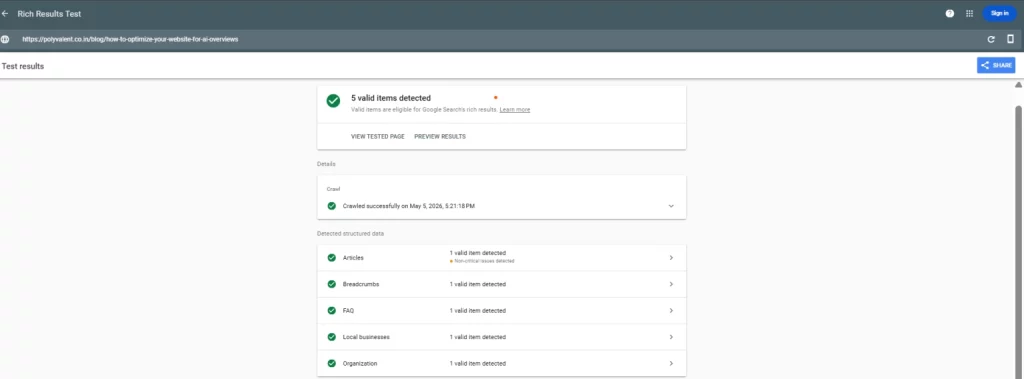
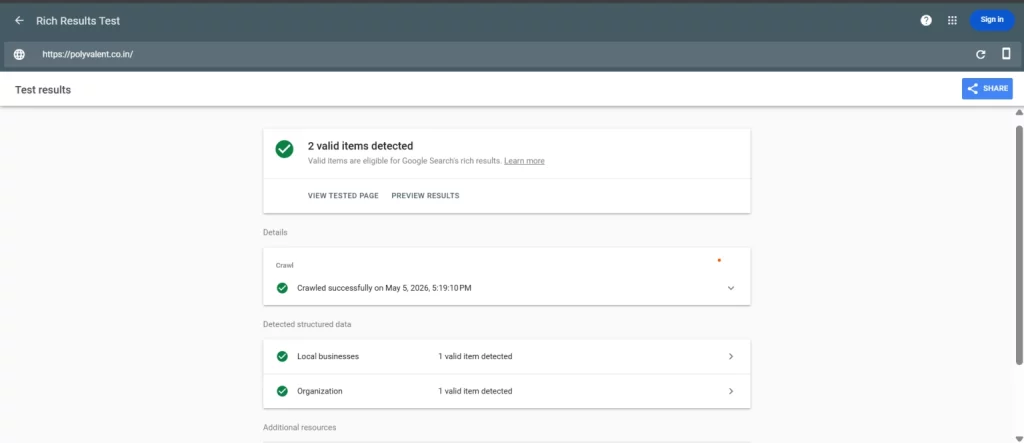
Here is Screenshot of Schema Applied to our Blogs.
This sequence ensures your site architecture is fully defined for AI search agents. Without this structured foundation, a brand can appear less clearly defined to search engines and AI systems.
How to Implement Schema Markup on Your Website
We can implement the schema by multiple methods like if the website is wordpress it can be done through the plugins help and also you can use Google Tag Manager to implement the schema.
Implementing the Schema with Tag manager is the most effective way.
Step 1: Identify the Entity on Each Page
Every page on your website represents an entity. Your homepage represents your business. A service page represents a specific service. A blog post represents a piece of editorial content. Before writing any schema, identify the primary entity the page is about. That determines which @type you use.
Step 2: Write the JSON-LD Block
Write your schema as a JSON-LD script block and place it inside the <head> of your HTML document. Use the Schema.org documentation for your chosen type to identify which properties are required, which are recommended, and which are optional.
Required properties must be included or the schema will be invalid. Recommended properties should be included because they provide the contextual detail that makes your entity declaration useful to AI systems and search engines.
Step 3: Nest Your Entities
Do not write every schema as a standalone block. Nest related entities inside each other to declare the relationships between them. For a Service schema, the provider property should not just say your company name as a plain string. It should embed a full Organization object with its own @type, name, and URL.
This tells the crawler that the service is a verified property of that organisation, not just loosely associated with it by name.
Step 4: Add the sameAs Property for Entity Linking
The sameAs property is one of the highest-impact fields in schema markup for AI visibility. It connects your entity to its verified identifiers on other platforms: your LinkedIn page, your Google Business Profile, your Crunchbase listing, your social media profiles.
When a search engine or AI crawler sees the same entity referenced with consistent sameAs links across multiple documents on the web, it consolidates those signals into a high-confidence entity node. That is how brands enter the Knowledge Graph and start getting cited by AI tools.
Step 5: Validate Before Publishing
Every schema block must be tested before it goes live. Two tools matter:
• Google’s Rich Results Test: Visit Rich Result website Paste a URL or code block. Google shows which schema types it detected, which properties it read, and whether the page qualifies for rich results. Zero errors required.
A schema block with errors is silently ignored by crawlers. The work you put into writing it produces no result. Always validate before deploying.
How to Optimize Existing Schema Markup
Use the most specific Schema type for each page instead of relying only on generic WebPage or Organization markup.
Add important properties like sameAs, areaServed, author, and service details to strengthen entity clarity.
Connect related entities properly by nesting services, articles, or local business details within your broader brand structure.
Regularly audit and update Schema when your services, business details, or website content changes.
Validate your Schema frequently to catch errors, missing fields, or outdated markup that may reduce SEO or AI visibility.
Why Most Websites Get Schema Markup Wrong
Many websites use basic plugin-generated Schema and assume that is enough. In reality, generic or incomplete Schema often misses important business signals.
Common issues include using the wrong Schema type, missing key properties, poor entity linking, or failing to update Schema over time.
Schema works best when it is treated as an active part of your SEO and AI visibility strategy, not just a one-time setup.
Common Schema Markup Mistakes to Avoid
Using Relative URLs Instead of Absolute URLs
Image, logo, and URL property values must use full absolute URLs. Writing “logo”: “logo.png” will fail validation. The correct format is “logo”: “https://yourdomain.com/logo.png”.
Schema That Does Not Match the Page Content
Google’s guidelines are clear: structured data that misrepresents the page will be treated as spam. If you declare a five-star rating on a page with no visible reviews, or list a service that the page does not actually describe, Google may apply a manual action to the site. Schema must reflect what is actually on the page.
Declaring Nested Objects Without @type
When you nest an entity inside another schema, always include the @type property in the nested object. Without it, crawlers cannot classify the nested entity and the relationship is lost.
Treating Schema as a One-Time Task
Schema markup needs to be maintained. When you add new service pages, publish new blog posts, or update your business details, the schema must be updated to match. A stale schema that contradicts current page content is actively harmful.
Frequently Asked Questions About Schema Markup
These are some of the most common questions businesses owner or websites owners ask when implementing Schema Markup.
Does schema markup directly improve Google rankings?
No. Schema markup does not directly boost rankings, but it can improve rich results, click-through rates, and search engine understanding.
What is the difference between schema markup and structured data?
Structured data is the broader system of organizing information for machines, while Schema Markup is the specific vocabulary commonly used to create it.
How long does it take for schema markup to show in Google?
Once Google crawls and processes your updated page, results can appear within days or weeks, but rich results are not guaranteed.
Can schema markup hurt my SEO if done wrong?
Yes. Invalid, misleading, or outdated Schema can be ignored or may create SEO issues if it violates Google guidelines.
What schema types are most important for a service business?
Organization, Service, FAQPage, and Article Schema are usually the most important for defining your brand, services, and content clearly.
Final Takeaway
Schema Markup is no longer optional for businesses that want stronger search visibility and AI discoverability. Schema Markup helps search engines and AI systems better understand your website, services, and brand. Without it, your site is harder to interpret, less likely to earn rich results, and less visible in AI-driven search experiences.
For businesses that want stronger SEO and better AI visibility, Schema is a practical foundation. Start with the essentials like Organization, Service, FAQPage, and Article schema, validate them properly, and keep them updated as your website grows.
The clearer your website is to machines, the stronger your visibility becomes.
Internal linking is one of the most underused ranking levers in SEO and one of the few you have complete control over.
Most websites treat it as a navigation task: link a few related articles, add a menu, call it done. But a properly built internal linking strategy does something far more powerful.
It controls how authority flows through your site, tells Google which pages matter most, and keeps every piece of content connected to the broader site structure.
What is an Internal Link?
An internal link is a hyperlink that connects one page on your website to another page on the same domain. When someone clicks it, they stay on your website — they’re just moving between your pages.
Here’s a simple example of what one looks like in HTML:
Search engines like Google/Bing use internal links to discover and index your pages. If a page has no internal links pointing to it, Search Engine may not even know it exists. Internal links hold your site together, both for users and for search engine crawlers.
Types of Internal Links
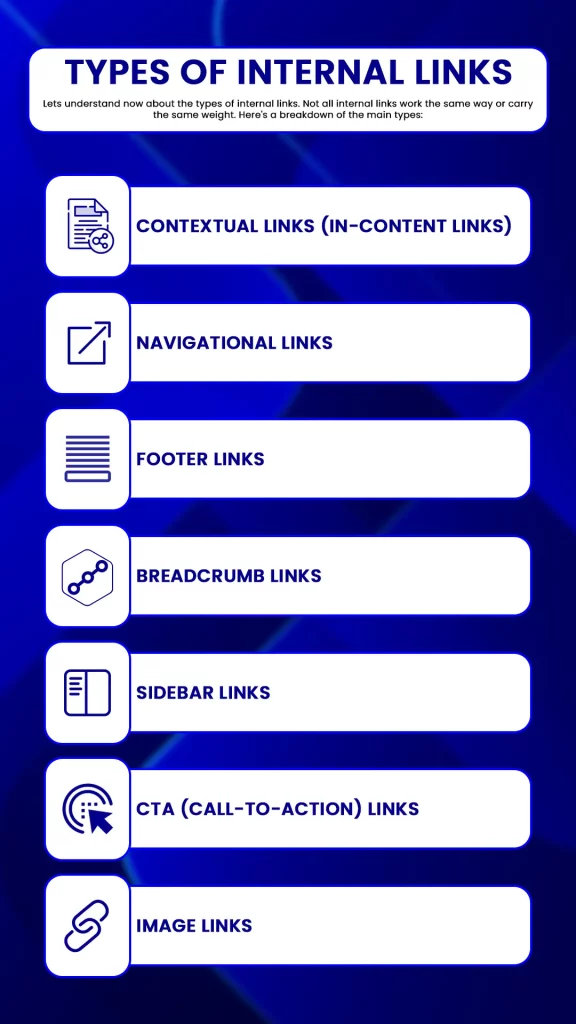
Lets understand now about the types of internal links. Not all internal links work the same way or carry the same weight. Here’s a breakdown of the main types:
1. Contextual Links (In-Content Links)
These are links placed naturally within the body text of your content, inside a paragraph, woven into a sentence. They’re the most valuable type of internal link from an SEO standpoint because Google uses the surrounding text to understand what the destination page is about.
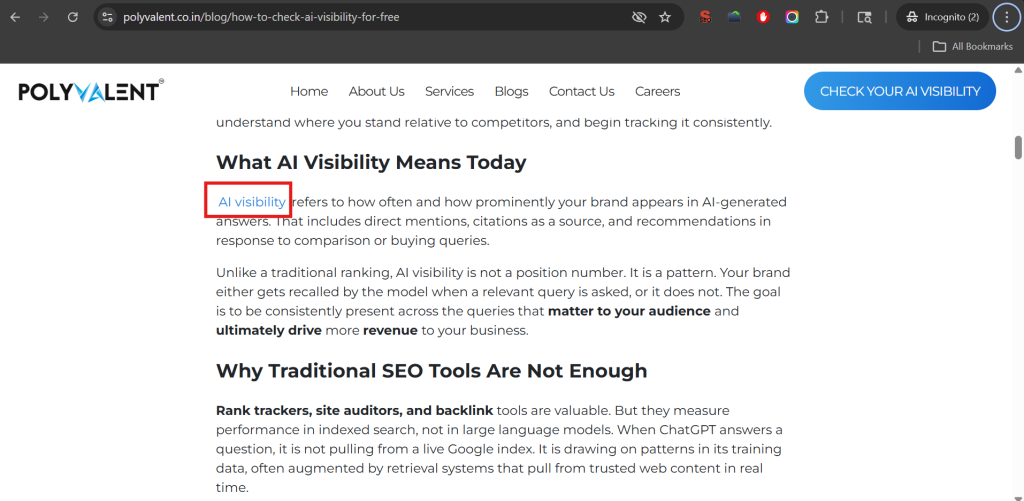
Example: A blog post about how to check your brand’s AI visibility for free (step-by-step guide) that links to your AI visibility checker page using the phrase “AI visibility checker” passes context and authority in a way a sidebar link never will.
2. Navigational Links
These are your main menu links header, sidebar navigation, and breadcrumbs. They appear site-wide and help users reach your most important pages from anywhere. Because they’re present on every page, they establish your site’s primary hierarchy. However, because they appear so often, each individual navigational link passes less weight than a single well-placed contextual link.
3. Footer Links
Footer links appear at the bottom of every page. They usually point to secondary pages Privacy Policy, Contact, Careers, Sitemap. They contribute to crawlability and accessibility but carry the lowest per-link SEO weight of all placement types.
4. Breadcrumb Links
Breadcrumbs are a navigational trail that shows users where they are in your site structure (e.g., Home > Blog > SEO > Internal Linking Strategy). They help both users and Google understand page hierarchy. They’re particularly valuable for large sites with deep content structures.
5. Sidebar Links
Common on blogs and resource sections, sidebar links point users to related posts, popular articles, or topic categories. They’re somewhere between navigational and contextual in terms of SEO value, more targeted than footer links, but less powerful than in-body contextual links.
6. CTA (Call-to-Action) Links
These are buttons or in-text prompts like “Get a Free SEO Audit” or “See Our Services.” Their primary job is conversion, but they also pass internal equity to the pages they point to.
7. Image Links
When an image is clickable and points to another page on your site, it functions as an internal link. Google uses the alt text of the image as a signal about the destination page, so well-written alt text on image links does carry some SEO value.
Internal Links vs. External Links
Understanding the difference helps you use both correctly.
Internal Links
External Links
Destination
Another page on your own domain
A page on a different domain
Control
Full control you decide where they go
Partial control you choose outbound links; incoming ones are earned
SEO Role
Distribute authority, establish hierarchy, aid crawling
Build domain authority (backlinks), signal credibility (outbound)
User Impact
Keep users on your site, guide them deeper
Direct users to external resources
Authority Flow
Passes link equity within your own site
Incoming links bring authority into your site
Both matter. External backlinks build your overall domain authority the “bucket” of trust your site has earned. Internal links determine how that authority is distributed across your pages. If you earn a great backlink to your blog but that blog never links to your service pages, all that authority just sits in one place.
The most effective sites use both in combination: earn authority from outside, then route it strategically to the pages that need to rank.
Why Internal Links Are Important for Your Website’s SEO
Help Google Discover and Index Your Pages
Googlebot crawls the web by following links. When it visits a page, it queues up every linked page for future crawling. Pages that receive many internal links get crawled more frequently. Pages with few or no internal links may go weeks without being recrawled and any updates you make to them will take much longer to be picked up by Google.
Distribute Link Equity to Pages That Need It
Every page on your site has an authority budget. That budget is built from external backlinks and internal links from other strong pages. When a page links out, it shares a portion of its budget with each destination. This means your highest-traffic, most-linked pages are your authority sources and where you point their internal links directly affects which of your other pages can rank.
A page stuck on page two of Google often just needs one or two links from a stronger page on your site to cross the ranking threshold. The authority is already there. It just hasn’t been directed correctly.
Establish Topical Authority
When your blog post on Technical SEO links to your articles on Core Web Vitals, Crawl Budget, and JavaScript SEO and those articles all link back to the Technical SEO pillar Google sees a site that covers this topic with real depth. This signals topical authority, which is increasingly how Google decides which sites deserve to rank for competitive keywords.
Improve User Experience and Dwell Time
A user reading your blog post on SEO audits who finds a natural link to your detailed audit checklist will click it. They stay on your site longer. Their session deepens. That behavioral signal time on site, pages per session feeds back into how Google evaluates your content quality.
Reduce Your Bounce Rate
When a visitor lands on a page and finds no logical next step, they leave. Strategic internal links give them a reason to stay and explore. Lower bounce rates send a positive engagement signal to search engines.
Speed Up Indexing of New Content
Every time you publish something new, it starts with zero authority. Linking to it from existing, established pages puts it in Google’s crawl queue immediately and passes some initial equity to it, helping it get indexed and ranked faster than if it sat alone.
Internal Links Strategy
A solid internal linking strategy isn’t about adding links randomly. It’s about building a structure that routes authority where it needs to go. Here’s how to approach it.
Build a Pillar-Cluster Architecture
This is the most effective content structure for topical authority. Here’s how it works:
Cluster pages: Detailed articles covering specific subtopics (e.g., “How to Fix Crawl Budget Issues,” “Core Web Vitals Explained,” “JavaScript SEO for Developers”)
Every cluster page links back to the pillar
The pillar links out to every cluster page
Related cluster pages link to each other where it makes sense
This creates what SEOs call a closed authority loop. Authority flows from the pillar down to clusters. It flows back up from clusters to the pillar. The whole group reinforces each other, and Google starts treating your pillar as the definitive hub on that topic.
Prioritize Your High-Authority Pages as Sources
Your highest-traffic posts and pages with the most external backlinks carry the most authority. These are your linking sources. When you publish new content or want to boost an underperforming page, get a contextual link from one of these authority pages first. One link from a strong page moves the needle faster than ten links from weak ones.
Use Descriptive Anchor Text and Vary It
The anchor text (the clickable words) of an internal link tells Google what the destination page is about. Generic phrases like “click here” or “read more” give Google nothing useful. Descriptive, keyword-relevant anchor text is far more effective.
But don’t use the exact same anchor text for every link pointing to one page that pattern looks unnatural. Vary it across different posts:
“technical SEO audit”
“how to audit your site’s technical health”
“running a full site audit”
“technical audit checklist”
All pointing to the same page. All natural. All descriptive. A reasonable rule of thumb: exact-match anchors should make up no more than 5-10% of your internal links to any given page.
Follow the 3-Click Rule
No important page on your site should be more than 3 clicks from your homepage. Pages buried 4-5 clicks deep get crawled infrequently and accumulate little internal authority. If your most important service pages or cornerstone content is buried deep, surface it with links from higher-level pages.
Aim for 2-5 Contextual Links per 1,000 Words
This isn’t a hard rule, but it’s a sensible target for most sites. Enough links to create meaningful connections across your content; not so many that every link gets diluted. A page with 200+ outbound links spreads its authority so thinly that none of the destinations benefit meaningfully.
Always Link New Content to Existing Content and Back
When you publish a new post, link it from at least one strong existing page. And within the new post, link to at least two relevant existing pages. This integrates new content into your site’s authority structure immediately rather than leaving it to sit as a disconnected page.
How to Audit Existing Website Internal Links
A link audit finds where authority is stuck, where pages are disconnected, and where easy wins exist. Here’s a process you can run right now:
Step 1: Crawl your site Use Screaming Frog (free up to 500 URLs) or Sitebulb [or ahref or semrush]. Export a full list of all internal links source URL, destination URL, anchor text, and status code.
Step 2: Map your authority sources In Google Search Console, go to Performance > Pages. Sort by clicks. Your top 10-20 pages are your authority sources. Note them down.
Step 3: Identify your priority target pages These are your service pages, high-value landing pages, and content you most need to rank. Check how many internal links each one receives (Screaming Frog shows this in the “Inlinks” column).
Step 4: Find the gap If a priority page is receiving links only from low-traffic, low-authority pages that’s your problem. Go to your authority source pages and find natural places to add a contextual link to your target page.
Step 5: Fix broken internal links Filter your Screaming Frog export for internal links returning 404 status. These pass zero authority and frustrate users. Fix them by updating the link to the correct URL or redirecting the broken destination.
Step 6: Check for over-linked pages If a single page is linking to 100+ other pages, its equity is spread paper-thin. Trim non-essential links and keep only those that genuinely serve the user or the SEO strategy.
Step 7: Repeat quarterly Sites change. New content is published, old pages are removed, structures shift. Quarterly audits keep things from deteriorating silently.
Link Attributes: Follow, Nofollow, and Sponsored
Link attributes tell Google how to treat a link. For internal links, this matters more than most people realize.
rel=”follow” (Default)
A standard internal link is followed by default Google crawls it and passes link equity through it. You don’t need to add any attribute for this. It’s the correct setting for almost all internal links.
rel=”nofollow”
This tells Google: “Don’t crawl this link and don’t pass authority through it.” Nofollow on internal links cuts off equity flow entirely. There are almost no good reasons to use nofollow on internal links. Only use it for pages you actively don’t want indexed, like a user login page, a filter page that generates duplicate content, or a thank-you page after form submission.
Some CMSs or plugins accidentally add nofollow to internal links. Check for this in your crawl audit. Any unintentional nofollow on a priority page is silently strangling its ranking potential.
rel=”sponsored”
This attribute is for paid or affiliate links. It’s rarely used for internal links but worth knowing: if you’re internally linking to an affiliate-landing page, using sponsored is the technically correct approach.
rel=”ugc”
Used for user-generated content (comments, forum posts). Not typically relevant for internal links in professionally managed sites.
The practical rule: Unless you have a specific reason to restrict a link, keep all your internal links standard followed links. Let the equity flow.
What are Orphan Pages
An orphan page is any page on your site that has zero internal links pointing to it.
Google discovers pages primarily by following links. If no page on your site links to a given URL, Googlebot only finds it through your XML sitemap or a direct external backlink. That might happen occasionally, but the page won’t get crawled regularly, won’t accumulate internal authority, and almost certainly won’t rank for anything competitive.
Orphan pages are more common than most site owners realize. They often build up during:
Website redesigns where navigation is changed
Content migrations where old posts lose their links
New page creation without adding links from existing content
Old category or tag pages that have been quietly de-linked
How to find orphan pages:
Export all indexed URLs from Google Search Console (Coverage report > Valid pages)
Run a crawl with Screaming Frog
Compare the two lists. Any URL in Search Console that the crawl didn’t reach via links is an orphan.
Once identified, the fix is straightforward: find topically relevant existing pages and add a contextual link to each orphan. If a page has been orphaned and also has little content worth linking to, that’s a signal to either improve it or consolidate it into a stronger page.
A real-world case: One internal link restructuring audit of a 180-page site found 47 orphan pages. After connecting them to the appropriate topic clusters with zero new content written and zero new backlinks built, monthly organic traffic grew from 12,000 to 31,000 visitors in 90 days. No new content. No outreach. Just fixing orphan pages and improving internal link structure.
Crawl Depth: Why Buried Pages Don’t Rank
Crawl depth measures how many clicks it takes to reach a page from your homepage.
1-2 clicks: High priority. Crawled frequently by Googlebot. Accumulates authority well.
3 clicks: Acceptable for most content.
4+ clicks: Low priority. Crawled infrequently. Often starved of authority regardless of content quality.
The reason this matters: Google allocates a crawl budget to every site with a limit on how many pages it will crawl in a given period. Pages buried deep in your architecture use up that budget inefficiently. They also signal to Google that they’re less important than shallower pages.
Here’s what happens in practice: your most important service pages are the ones you need to rank, sometimes sitting 4 or 5 clicks deep because that’s where your navigation structure puts them. Meanwhile, your homepage and top-level category pages receive all the crawl attention and authority.
How to fix it:
Audit crawl depth using Screaming Frog (it shows click depth for every crawled URL)
Identify all pages sitting at depth 4 or deeper
Prioritize which of those pages actually need to rank
Add contextual links to those pages from pages at depth 1-2
You don’t need to flatten your entire architecture. You just need to create link pathways that bring your priority pages within 3 clicks of the homepage. Often, this means adding links from your pillar pages or from your highest-traffic blog posts.
Internal Redirects and Redirect Loops: The Silent Link Equity Drain
This is the technical issue most internal linking guides ignore and it’s costing sites more than they realize.
What is a Redirect Chain?
A redirect chain happens when your internal link points to URL A, which redirects to URL B, which redirects to URL C before landing at the actual destination.
Example:
Internal link → /old-blog-post → /2023/blog-post → /blog/current-title
Every hop in that chain adds delay and bleeds authority. Research suggests that even a 3-hop redirect chain passes only around 85% of the original link equity to the final destination. Multiply that across hundreds of internal links and you’re losing a meaningful amount of the authority you’ve built.
Additionally, Google follows a limited number of redirect hops during a single crawl session. After a certain point, it abandons the chain entirely meaning the final page may not get crawled at all.
What is a Redirect Loop?
A redirect loop is a closed chain Page A redirects to Page B, which redirects back to Page A. Neither page ever resolves. Users see “Too many redirects” errors. Googlebot abandons the URL and moves on. The page effectively disappears from the index.
Loops usually happen after site migrations when redirect logic conflicts across different system layers for example, an .htaccess rule that conflicts with a CMS plugin redirect setting.
How to Find and Fix Them
Finding chains: Run your site through Screaming Frog. Under Response Codes, filter for 3xx. For each redirect, Screaming Frog shows the full chain. Any chain longer than a single hop is a problem.
Finding loops: Screaming Frog also flags “redirect loop” as a specific error. Alternatively, use a browser extension like Redirect Path to trace individual URLs manually.
Fixing chains: The fix is to point your internal links directly to the final destination URL, bypassing intermediate redirects. Update the source link, not just the redirect rules. If redirect rules themselves need simplifying, update them to jump directly from origin to final URL in a single 301.
Fixing loops: Trace the full chain of conflicting redirect rules. Identify which system is generating the conflict (CMS plugin vs server config vs .htaccess). Remove the conflicting rule and retest.
Prevention: Any time you restructure URLs, change permalink structures, or migrate platforms, update your internal links to point to final destination URLs first. Don’t leave old links pointing to redirected URLs and rely on the redirect to “handle it.” The redirect handles the user but it costs your SEO every time.
Conclusion
Before you publish any new content, and quarterly for existing content, run through this:
Does every new page receive at least one contextual link from an existing, relevant page?
Do new posts link to at least 2-3 relevant existing pages using descriptive anchor text?
Are all important pages within 3 clicks of your homepage?
Does every page belong to a clear topic cluster with a defined pillar?
Are all internal links standard followed links (no accidental nofollow)?
Are there any orphan pages in your topic clusters?
Are any internal links pointing to redirected URLs instead of final destinations?
Are any redirect chains longer than a single hop?
Is anchor text descriptive and varied across different source pages?
Internal linking is the one ranking lever you control completely. No waiting on other sites. No outreach campaigns. No budget. Just structure and the attention to get it right.
Frequently Asked Questions
1. How many internal links should I have per page?
There is no “magic number” from Google, but for most blog posts, 2-5 contextual links per 1,000 words is a healthy balance. The goal is to provide value to the reader. If you add 50 links to a single page, you dilute the “link juice” (authority) being passed to each one.
2. Should I use “nofollow” for my internal links?
Almost never. Using rel=”nofollow” on your own pages tells Google not to crawl or pass authority to that part of your site. The only exceptions are utility pages you don’t want to rank, such as login screens or “Thank You” pages. For everything else, keep them as standard “follow” links.
3. Does anchor text really matter for internal links?
Yes, it’s a major ranking signal. Using descriptive, keyword-rich anchor text (like “SEO audit checklist”) helps Google understand exactly what the destination page is about. Avoid generic phrases like “click here” or “read more,” as they provide zero context for search engines.
4. What is an “orphan page” and why is it bad for SEO?
An orphan page is a page on your website that has no internal links pointing to it. Because Google’s crawlers primarily move through links, these pages are hard for search engines to find. Even if they are indexed via a sitemap, they rarely rank well because they have no authority flowing to them from the rest of your site.
An llms.txt file is a Markdown-based standard designed to provide Large Language Models (LLMs) and AI crawlers with a structured, curated map of a website’s most essential content. Much like robots.txt guided search engines for decades, llms.txt serves as a prioritized directory that helps AI engines like ChatGPT, Claude, and Perplexity accurately interpret and cite your brand’s expertise.
While Google officials have suggested there is no official “need” for the file, the SEO community knows that official statements rarely tell the full story. In 2026, the shift is undeniable: AI-powered answer engines are now intercepting user queries before they ever reach a traditional results page.
Our team at Polyvalent has observed a consistent pattern—while the industry waits for official recognition, the market is already moving toward AI Search Optimization.
If your digital strategy relies solely on traditional signals, you are likely losing visibility to competitors who make their content legible to machines. Regardless of the official line, a properly configured llms.txt file gives you direct influence over how AI models synthesize and reference your brand.
What is llms.txt?
An llms.txt file is a plain-text file that website owners place in the root directory of their domain, similar in principle to how robots.txt has worked for traditional search crawlers for decades. But where robots.txt tells search bots what they can and cannot index, llms.txt is designed specifically to communicate with large language models and AI crawlers.
The file works as a structured guide. It helps AI systems understand which pages on your site contain the most valuable information, how your content is organized, and what your website is fundamentally about. Instead of leaving an LLM to crawl your entire site and make its own interpretations, you are essentially giving it a curated map.
The concept was formally proposed by Jeremy Howard in 2024 as a Markdown-based standard. The idea quickly gained traction because it addressed a genuine problem: AI models often have inconsistent, incomplete, or outdated representations of websites and brands because there was no standardized way for site owners to communicate with them directly.
Think of it this way. You spend months crafting thorough service pages, detailed guides, and authoritative blog content. But when someone asks ChatGPT or Perplexity about your area of expertise, the AI might pull a vague summary from somewhere else entirely.
The llms.txt file is your way of raising your hand and saying, “Here is what we actually do, and here is where the best version of that information lives.”
Why llms.txt is Buzzing in the Industry
The conversation around AI SEO has accelerated dramatically over the past year, and for good reason. Google’s AI Overviews now appear at the top of search results for millions of queries, summarizing content before users ever click a link.
ChatGPT’s browsing capabilities mean users are asking it questions that were once the exclusive domain of search engines.
Perplexity has built an entire product around AI-generated answers with citations.
Traditional optimization signals like backlinks, keyword density, and technical crawlability still matter.
But they were built for a world where humans were doing the clicking. AI models do not behave the same way, and they do not interpret web content the same way either.
This is where the llms.txt file enters the conversation as a topic worth taking seriously. Brands are starting to ask: how do we make sure AI systems have an accurate understanding of who we are and what we offer? How do we make our expertise legible to a machine that is synthesizing thousands of sources into a single answer?
Understanding what AI visibility means for your brand is increasingly a prerequisite for modern digital strategy, and the llms.txt file is becoming one of the practical tools in that toolkit.
Where llms.txt is Used
The protocol is versatile enough to apply across a wide range of website types, though certain categories benefit most right now.
SaaS and technology companies have been among the earliest adopters. When your product has a complex feature set and your potential customers are asking AI tools for software recommendations, having a clear llms.txt that points to your documentation, use cases, and comparison pages gives AI models better raw material to work with.
Content-heavy blogs and media sites stand to benefit because they produce so much that even a well-crawled site can result in outdated or tangential content being surfaced. An llms.txt file lets editorial teams signal which evergreen content is most representative of their expertise.
Professional services firms including agencies, consultancies, and law firms can use it to help AI understand their service scope, specializations, and geography, rather than relying on AI to stitch together an incomplete picture from scattered mentions.
Enterprise websites with large content libraries and multiple business units have perhaps the most to gain. When hundreds of pages exist across different product lines and regions, a well-structured llms.txt becomes a way to establish a clear content hierarchy for AI systems.
Benefits of llms.txt
The most obvious benefit is improved LLM crawling accuracy. When AI models have explicit guidance about which pages matter most, they are more likely to build a coherent, accurate representation of your site.
This matters because LLMs do not re-crawl the web in real time for every query. They work from training data and periodic updates, so giving them the right information during those crawl windows is valuable.
Beyond accuracy, there is the matter of content control. Without an llms.txt, an AI might surface your oldest blog post, a press release from years ago, or an FAQ page that no longer reflects your current offerings. With it, you are guiding attention toward content that genuinely represents your expertise and current positioning.
There is also a brand consistency dimension. AI-generated answers about your company are increasingly the first impression new audiences get. Having a mechanism to influence how that impression forms is not a trivial advantage.
Finally, as AI search optimization matures as a discipline, the websites that invested early in these signals will likely have a structural edge, even if the full impact takes time to manifest.
Is There Proof That llms.txt Helps in AI Citations?
The straightforward truth is that the llms.txt standard is still relatively new, and rigorous, controlled studies demonstrating a direct causal link between having an llms.txt file and increased AI citations do not yet exist in the way we might hope. The protocol has not been formally adopted by major AI companies as a declared ranking or inclusion signal.
What we do have is a growing set of anecdotal observations from early adopters, consistent logic about how structured information benefits AI parsing, and the precedent set by robots.txt as evidence that AI systems do pay attention to standardized communication files.
There is also the indirect argument: if your llms.txt file makes your content easier to understand, better organized for machine interpretation, and points AI crawlers to your strongest material, the downstream effect on how AI systems represent your brand is likely to be positive even if we cannot draw a straight line from file to citation.
The responsible framing here is to treat llms.txt as part of a broader GEO strategy for AI answer engines, not as a standalone magic fix. Pair it with genuinely authoritative content, strong EEAT signals, and a consistent publishing cadence, and you are building the kind of digital presence that AI systems are designed to surface.
What to Include in llms.txt
The file itself is written in Markdown and lives at yourdomain.com/llms.txt. The structure is intentionally simple, because simplicity is what makes it readable by machines.
You begin with a brief description of your website or organization. One to three sentences that capture what you do, who you serve, and what makes your content worth paying attention to. This is not a sales pitch; it is a factual orientation.
From there, you include a section linking to your most important pages, with brief notes on what each one contains. These might be your main service pages, your most comprehensive resource articles, your about page if it contains meaningful credentials, or your documentation if you run a technical platform. The idea is to create a prioritized reading list for AI systems.
You can also include a section noting which pages or file types you would prefer AI systems not to use, similar to the disallow logic in robots.txt. This might apply to outdated content, internal pages, or anything that does not represent your current work well.
The file should be kept reasonably concise. A bloated llms.txt that links to everything defeats the purpose of prioritization. Think of it as curating your best work, not archiving all of it.
Standard llms.txt File Format and Practical Examples
To properly configure an llms.txt file, you must use a specific Markdown structure. The file should be concise and clean to ensure AI crawlers do not encounter processing errors. Most professional implementations follow a hierarchical layout starting with a primary summary followed by categorized links.
# Polyvalent

> Polyvalent is a digital marketing agency focused on SEO, AI SEO, and AI visibility strategies that drive measurable growth in traffic, visibility, and conversions.

## Search Engine Optimisation

- [SEO Services](https://polyvalent.co.in/services/seo): Improve organic visibility, rankings, and traffic with structured SEO strategies focused on long-term growth.
- [AI SEO Services](https://polyvalent.co.in/services/ai-seo): Optimize content for AI-driven search platforms and answer engines to improve AI visibility and brand presence.

## Digital Marketing

- [Services](https://polyvalent.co.in/services): Explore digital marketing solutions focused on performance, traffic growth, and conversion optimization.

## AI & Search Optimization

- [AI Visibility Guide](https://polyvalent.co.in/blog/what-is-ai-visibility-and-why-it-matters-for-your-brand): Understand how AI visibility impacts brand discovery across answer engines.
How to Test if llms.txt is Being Crawled
This is where expectations need to be grounded in reality. You cannot directly observe which AI systems have read your llms.txt or when, because most AI crawlers do not provide the same kind of transparent feedback that Google Search Console offers.
That said, there is a structured way to actually measure impact rather than just guessing.
Start before you even create the file. In week one, set up server log tracking on your current website and monitor it closely.
Note how frequently AI crawlers are visiting, which pages they are hitting, and what your brand’s AI visibility looks like when you ask tools like ChatGPT or Perplexity questions related to your niche. Document everything. This becomes your baseline, and without it, you have nothing real to compare against later.
Once that first week is done, implement the llms.txt file on your website. Give it two to three days to be discovered and crawled, then start your second monitoring window.
Run another full week of server log analysis. Look specifically for crawl requests from known AI user agents including GPTBot from OpenAI, ClaudeBot from Anthropic, PerplexityBot, and others. Check whether the llms.txt file itself is being requested. Then revisit your AI visibility tests and note any shifts in how accurately these tools describe your content or brand.
By the end of week three you will have a before and after data set that is actually meaningful. Not a guess, not an assumption but a structured comparison you can act on.
You can also continue monitoring brand query behavior in AI tools over time. Ask questions related to your expertise and observe whether the answers begin reflecting the content you highlighted in your llms.txt. This is observational rather than scientific, but patterns do emerge consistently when you are looking at the right signals.
Some technical SEO platforms are beginning to add features specifically for tracking AI crawler activity, and this space will mature quickly. For now, this three-week log analysis approach is the most practical and honest method available to any website owner who wants real answers.
FAQ
Q: Is llms.txt an official standard recognized by Google or OpenAI?
Not officially. It is a community-proposed standard introduced by Jeremy Howard. Google, OpenAI, and Anthropic have not formally committed to using it as a ranking or inclusion signal, though the conversation is ongoing.
Q: Will adding an llms.txt file hurt my traditional SEO?
No. The file does not interfere with robots.txt or any existing SEO infrastructure. It is an additive element that operates independently.
Q: Do small business websites need an llms.txt file?
It is less critical for small local businesses right now, but it is also not difficult to implement. If AI visibility matters to your audience (and increasingly it does), there is no real downside to having one.
Q: Can llms.txt replace good content quality for AI citations?
Absolutely not. The file is a pointer, not a substitute. AI systems still evaluate the underlying quality, relevance, and authority of the content it leads them to. A well-structured llms.txt pointing to thin or outdated content will not help much.
Q: How often should I update my llms.txt file?
Whenever your site structure changes significantly, when you publish major new content you want AI systems to prioritize, or when you retire content that previously featured in the file. There is no fixed schedule, but treating it as a living document is good practice.
Q: Is llms.txt the same as llms-full.txt?
Not exactly. The llms-full.txt variant is an extended version meant to provide a more complete content dump for AI systems with larger context windows. The standard llms.txt is the concise, curated version. Which you implement depends on your content volume and goals.
Q. How can I see the llms.txt file of a website?
You can view any site’s file by adding /llms.txt to the end of their root domain in your browser. For example, navigate to example.com/llms.txt. If the site has implemented the standard, the browser will display a plain text Markdown file. If it returns a 404 error, the site has not yet adopted the protocol.
Q: Will an llms.txt file directly help my traditional SEO rankings?
No, it does not currently impact your position on a standard Google Search results page. Its primary purpose is Generative Engine Optimization (GEO). It helps AI models like Perplexity or ChatGPT cite your website more accurately in their generated responses. While it is not a traditional ranking factor, it is a critical visibility factor for AI-driven search.
Q: Do I need a specific llms.txt file generator to create one?
There is no requirement for a specialized tool. Since the format is simple Markdown, you can create the file in any text editor like Notepad or VS Code. The key is to ensure the links are absolute and the descriptions are factual rather than promotional. Keep the file size small to ensure it stays within the context window of smaller AI models.
Conclusion
The llms.txt file is not going to replace everything you know about SEO, and it is not a guaranteed shortcut to AI citations. But it is a genuinely thoughtful response to a real problem: the gap between how well-crafted your web content is and how well AI systems actually understand it.
As AI-generated answers continue to capture more of the search experience, the websites and brands that take structured AI communication seriously today will be in a stronger position tomorrow. Implementing an llms.txt file is low-cost, low-risk, and directionally aligned with where search is heading. That combination is usually worth acting on.
If you are rethinking your digital strategy for an AI-first environment, this is one of the more practical steps you can take right now.
Search has changed. Ranking on page one is still important, but in many searches, users now see AI-generated summaries before traditional organic results. These AI Overviews. often answer the query directly and shape which websites get noticed first.
Table of Content
If your content is not being cited in these summaries, you may be missing visibility even when your rankings look strong. For many businesses, this means SEO is no longer only about earning clicks. It is also about becoming a trusted source that search engines reference.
People are increasingly getting quick answers without scrolling through multiple links. That shift makes content clarity, credibility, and structure more important than ever.
To stay competitive, your website needs to do more than rank. It needs to provide useful, well-structured information that search engines can confidently surface in AI-driven results.
What is AI Overviews?
AI Overviews represent a shift from “search engine” to “answer engine.” When a user submits a query, the system evaluates the top-tier content across the internet and generates a cohesive, easy-to-read summary. This summary appears before the traditional organic listings, providing users with an immediate solution to their problem.
For business owners, these summaries are critical because they capture the “Position Zero” spot. They offer a unique blend of high visibility and instant credibility. When your website is cited within an overview, you are not just a search result; you are a verified expert.
When AI Overviews Appears
These generated summaries do not appear for every single search. They are specifically designed for moments when a user needs more than a simple fact but less than a full research paper. You will most commonly see them in the following scenarios:
Process-Oriented Queries: Any search that involves “how to” or “steps to” usually triggers a summary to break down the stages of a task.
Definition and Context: When a user asks for an explanation of a complex concept or a recent trend.
Comparative Analysis: Searches that ask to compare two products, services, or strategies.
Problem-Solving Needs: When a user describes a symptom or an issue and looks for potential causes or fixes.
How AI Overviews is Important for Business and Websites
The impact of these summaries on your digital performance cannot be overstated. They influence every stage of the marketing funnel.
Building Trust Through Citations
When a search engine picks your content to power its summary, it serves as a high-level endorsement. Users are more likely to trust a brand that is featured as a foundational source for an answer.
Driving Qualified Traffic
While the summary provides an answer, it also leaves the user wanting more detail. The clicks that come from these summaries are often from users who are deeper in the research phase and are more likely to engage with your site’s specific offerings.
Staying Ahead of the Competition
As more companies compete for a limited number of spots, those who optimize early for these overviews will secure a long-term advantage in brand recognition and organic reach.
How AI Overviews Work
The logic behind these summaries is based on relevance and clarity. The system does not just look for keywords; it looks for “entities” and “intent.”
Parsing the Query: One of the most critical components of this process is a concept known as Query Fan Out. When a user enters a complex or multifaceted question, the search system does not look for just one answer. Instead, it “fans out” the original query into several related sub-queries. For example, if a user asks “How do I transition my business to a remote model,” the system might generate sub-queries about remote communication tools, legal requirements for home offices, and employee engagement strategies. By gathering data from many different sources simultaneously, the engine can build a comprehensive summary that covers every angle of the user’s intent.
Source Evaluation: It scans indexed pages that have high authority and clear structures.
Information Extraction: It pulls out specific sentences or data points that directly address the user’s intent.
Generative Synthesis: It rewrites that information into a natural, conversational format, providing links back to the original creators.
7 Strategies to optimize for AI Overviews
Achieving visibility in these summaries requires a mix of technical precision and high-quality writing. Here are seven ways to prepare your site.
1. Make Content Scannable
Search engines need to be able to “read” your page in milliseconds. Use a clear hierarchy with H2 and H3 tags. Use bullet points for lists and keep your paragraphs short. The easier it is for a machine to parse your page, the easier it is for that machine to summarize it.
2. Keep Content Fresh and Updated
An outdated page is an untrustworthy page. Ensure your content reflects the most current data, dates, and industry standards. Regularly refreshing your high-traffic posts signals to search engines that your information is still the most accurate choice for an overview.
3. Ensure Pages are Indexed or Indexable
Your technical foundation must be solid. Use your search console to ensure there are no crawl errors. If a search engine cannot access your page or if your site architecture is a maze, your content will never be considered for a summary, regardless of how good the writing is.
4. Perform Keyword Research and Use Long-Tail Keywords
Focus on “conversational” keywords. Think about how a person would ask a question out loud. Instead of targeting “SEO tips,” target “What are the most effective ways to improve search visibility in 2026?” This aligns your content with the natural language patterns that trigger overviews.
5. Improve Website Speed and Pass Core Web Vitals
Performance is a ranking factor that carries over into the world of summaries. A fast-loading site with a stable visual layout provides a better user experience. Engines prefer to cite sources that won’t frustrate the user once they click the link.
6. Follow Technical SEO and On-Page SEO Best Practices
Using structured data (Schema markup) is non-negotiable. This hidden code tells the search engine exactly what your content represents whether it is a recipe, a review, or a FAQ. For a complete list of technical requirements, refer to this GEO Checklist to ensure you aren’t missing any critical steps.
Alongside schema, optimizing internal linking helps search engines better understand your content hierarchy, topical authority, and page relationships, making it easier for both traditional search and AI systems to surface your most valuable pages.
7. Build Quality Backlinks and Brand Mentions
Authority is still the currency of the web. Focus on earning links from reputable industry publications and news sites. Furthermore, ensure your brand is mentioned across social platforms and forums, as search engines use these broad signals to determine your overall influence.
How to Check Your Website is Appearing in AI Overviews
Monitoring your presence in these summaries is different from checking your standard rankings. Because these overviews can be personalized or location-dependent, you need specialized tools to get an accurate picture. Using an AI Visibility Checker allows you to see where your brand is being cited and where you are losing ground to competitors. Regular audits will help you identify which content pieces are performing well and which ones need a rewrite to be more “summarizable.”
Suggested Backlink Strategy for 2026
To improve your chances of being featured, focus on these specific types of backlinks:
Niche-Specific Directories: Be listed where your industry lives.
Educational (.edu) Citations: Provide research or data that schools and universities find valuable.
Guest Contributions: Write for high-authority blogs in your sector to prove your thought leadership.
Podcast and Webinar Mentions: Digital footprints from audio and video content add to your brand’s perceived authority.
FAQs
Will AI Overviews take away all my organic traffic?
No. AI Overviews may reduce clicks for simple informational searches, but they can still drive traffic for users who want deeper explanations, comparisons, or services. If your content is cited, you can still attract highly qualified visitors.
How does Query Fan Out help my website?
Query Fan Out expands one broad search into multiple related questions. If your content clearly answers one of those related questions better than others, your page has a stronger chance of being included as a source.
How do I know if my content is “summarizable”?
Your content is easier to summarize when it answers a specific question quickly, uses clear headings, and avoids unnecessary filler. Strong introductions, direct explanations, and structured sections make it easier for search engines to extract useful information.
Is long-form content still relevant?
Yes. Detailed content often gives search engines more context, supporting facts, and topical depth. The key is structure. Long-form content works best when it is easy to scan and clearly organized.
Do I need to use specific tools to rank in these summaries?
No. Tools can help you monitor visibility, but ranking is more influenced by content quality, technical SEO, page structure, and authority. Useful tools support strategy, but they do not replace strong execution.
Does mobile optimization affect AI Overviews?
Yes. Mobile-friendly pages load faster, are easier to use, and provide a better experience after the click. Slow or poorly optimized mobile pages may reduce your chances of staying competitive.
How often should I update my old blog posts?
Review important pages every 3 to 6 months. Update outdated statistics, improve weak sections, refresh examples, and check whether the content still matches current search behavior. Regular updates help maintain relevance.
Your brand could be mentioned in thousands of AI conversations every day. You would never know.
That is the defining measurement problem of 2026. Over 43% of AI Overview searches end with zero clicks. Users get their answer, close the tab, and move on. No session recorded. No referral logged. No keyword ranked. If an AI engine recommends your competitor instead of you, your Google Search Console will show nothing unusual.
Table of Contents
You cannot improve what you cannot measure. That is not a motivational quote. It is the core operational challenge for every marketing team right now.
This post is the analytics and measurement guide for AI brand visibility.
Before diving into the analytics, ensure you have the foundational strategy in place by learning how to improve brand visibility in ai search engines. Once your strategy is in place, this post will help you know whether it is actually working.
The Measurement Gap: Why Your Current SEO Tools Are Flying Blind
Google Search Console, Ahrefs, Semrush. These are excellent tools for the web they were built for: a web of links, crawls, and keyword rankings.
Large Language Models do not work that way.
When ChatGPT, Gemini, or Perplexity respond to a query, it is not pulling a ranked list of URLs. It is drawing from “latent space,” a compressed statistical representation of billions of training documents. Your brand either exists meaningfully in that space or it does not. No traditional crawler can see inside it.
Standard SEO tools measure what gets clicked. AI search rewards what gets cited. Those are fundamentally different outcomes, tracked through fundamentally different signals.
This is why the category of AI search analytics has emerged as its own discipline in 2026. Tracking brand mentions in AI search requires a new stack, new metrics, and a new mental model. Here are the seven you need to build around.
The 7 Key Metrics for AI Brand Visibility in 2026
1. Share of Model (SoM)
Share of Model is the AI equivalent of market share. It measures the percentage of relevant prompts across major AI platforms where your brand appears in the response.
Tracking SoM means running hundreds of category-level queries (“best AI visibility tools ,” “top AI SEO company for small business,” etc.) across ChatGPT (which holds roughly 64% of the conversational AI market), Gemini, and Perplexity, then calculating how often your brand surfaces.
A brand with 12% SoM in its category appears in roughly 1 in 8 relevant AI responses. That number is your baseline. Everything else you do should move it.
2. Citation Position and Weight
Not all mentions are equal. Being listed seventh in a “here are some options” paragraph is very different from being named in the first sentence of a recommendation.
Citation weight measures whether you are a primary source or a footnote. Track: Are you mentioned before or after competitors? Are you cited with a URL? Are you described with detail, or just named in a list?
Tools that track how to track brand mentions in AI search will often score citations on a weighted scale. A top-position, URL-cited mention might score 3x higher than a passing reference. Aggregate these scores over time and you have a real sense of your authority positioning.
3. Sentiment and Entity Alignment
AI engines do not just mention brands. They describe them. And how an AI describes your brand shapes how millions of users perceive you, often before they ever visit your site.
Run a sentiment audit across key prompts. Is your brand described as a “leader,” an “affordable option,” or a “reliable choice”? Or are you showing up with qualifiers like “some users report” or “it depends on your budget”?
Entity alignment means checking whether the AI’s description matches the positioning you want to own. If you are a premium enterprise tool but AI keeps framing you as a budget alternative, that is an entity drift problem. It needs fixing at the content and PR level, not just the technical level.
4. Generative Inclusion Rate (GIR)
Generative Inclusion Rate is the percentage of industry-specific prompts that trigger a mention of your brand.
Build a prompt library of 50 to 200 queries that your ideal customer might ask. Run them systematically. Track how many return your brand in the response. A high GIR means the AI models have absorbed enough about your brand to surface it unprompted across a wide range of relevant questions.
A low GIR, even with decent SoM on branded queries, signals that you are only being cited when users already know your name. That is a discovery problem.
5. Query Fan-out Visibility
Modern AI assistants do not just answer one question. They suggest follow-up questions, offer related topics, and generate multi-step conversations. This is called query fan-out.
Query fan-out visibility measures whether your brand appears in those suggested follow-up pathways. If a user asks “what is the best email marketing platform” and the AI suggests “you might also want to compare Mailchimp vs. [Your Brand],” that is fan-out visibility. It is brand insertion at the discovery layer.
Track how often your brand appears in AI-suggested next steps, not just in direct answers. This metric predicts future SoM growth before it shows up in your main numbers.
6. Synthetic User Journey Success Rate
This is one of the most commercially important metrics on this list.
A synthetic user journey simulates the prompts a real buyer uses during research. It typically looks like: awareness query, comparison query, “best for [use case]” query, and finally “alternatives to [competitor]” query.
For Example : You might search “Best AI visibility tool” in the chatbots to get and look for the right fit.
Your Synthetic User Journey Success Rate measures how consistently your brand appears as a positive recommendation across that full sequence. A brand that appears at the awareness stage but drops off at the comparison stage is losing deals inside the AI funnel. Brands with high success rates across all four stages are structurally advantaged in AI-assisted buying decisions.
7. Citation Freshness Index
AI models update their knowledge through retraining cycles and, increasingly, through live retrieval-augmented generation (RAG). In 2026, source rotation inside RAG-powered responses is common, with 40 to 60% of cited URLs cycling out within 90 days.
The Citation Freshness Index tracks how regularly the AI rotates your sources. Are the same two blog posts from 2022 being cited? Or is the AI pulling from your recent content? Stale citation patterns suggest your newer material is not being indexed or weighted by the retrieval layer.
Publishing consistently and ensuring your content is accessible to AI crawlers (Googlebot, GPTBot, ClaudeBot) directly affects this score.
In the 2026 search environment, tracking where your brand appears is no longer optional. Several companies have launched AI Visibility Tools specifically designed to detect your brand presence across major AI platforms and AI Overviews.
You can now track your own Share of Model and citation health by using our dedicated AI Visibility Tool.
Why You Need a Dedicated AI Visibility Tool
Here is the scale problem: the seven metrics above are not difficult to understand. They are nearly impossible to track manually.
Consider what “manual prompting” actually requires. You need to test hundreds of prompts, across three or four platforms, in multiple phrasings, at regular intervals, and then record, compare, and trend the results. Doing that for even 50 keyword clusters would require dozens of hours per week. Most brands need to track 500 to 1,000-plus intent clusters to get statistically meaningful data.
An AI Visibility Tool is defined as a software platform that automates the systematic querying of large language models to measure brand presence, citation frequency, sentiment, and competitive positioning across AI-generated responses.
Tools in this category, including Nightwatch (which now offers AI SERP tracking), Omnia, and Otterly, are designed specifically for what are the best AI search monitoring tools. They handle prompt automation, response parsing, and trend visualization at scale.
When evaluating these platforms, look for: multi-platform coverage (not just one LLM), sentiment scoring, citation weight tracking, and scheduled run frequency. Weekly snapshots are the minimum. Daily tracking is better for competitive categories.
Traditional SEO Metrics vs. 2026 AI Visibility Metrics
Traditional SEO Metric
What It Measures
2026 AI Equivalent
What It Measures
Keyword Ranking
Position on a SERP page
Share of Model (SoM)
Brand presence % across AI platforms
Organic Clicks
Traffic sent to your site
Citation Position & Weight
Priority and authority of each mention
Backlink Count
Pages linking to you
Citation Freshness Index
How often AI rotates your cited sources
Branded Search Volume
Users searching your name
Generative Inclusion Rate
% of category prompts that surface your brand
SERP Features (snippets)
Rich result appearances
Query Fan-out Visibility
Brand presence in AI-suggested next steps
Conversion Rate
Clicks that become leads
Synthetic Journey Success Rate
Brand recommendation across the full buying journey
Monday Morning Checklist: Where to Start This Week
Define your prompt library. Write 50 prompts your ideal customer asks during research. These become your tracking baseline.
Run a manual SoM audit. Test your top 20 prompts in ChatGPT, Gemini, and Perplexity. Record where your brand appears, if at all.
Do a sentiment spot-check. Search “[Your Brand] vs [Competitor]” in two AI platforms. Note the exact language used to describe you.
Check your robots.txt. Confirm GPTBot and ClaudeBot are not blocked. This directly affects citation freshness.
Choose a monitoring tool. Evaluate Otterly, Omnia, or Nightwatch for automated AI search analytics. Most offer trials.
Set a benchmark date. Lock in your first SoM and GIR numbers this week. You cannot show improvement without a baseline.
Schedule a monthly review. AI visibility data is only valuable if you act on trends, not just one-time snapshots.
FAQ: AI Brand Visibility Tracking
Q: What is the best AI search monitoring tool in 2026?
A: The best AI search monitoring tools in 2026 depend on your scale and budget. Otterly and Omnia are purpose-built for AI brand tracking with strong multi-platform coverage. Nightwatch is a strong option if you want AI and traditional SEO data in one dashboard. For enterprise teams tracking thousands of prompts, a combination of a dedicated AI tool plus custom prompt-testing scripts is common.
Q: How is tracking brand mentions in AI search different from tracking them in traditional search?
A: In traditional search, a brand mention means a URL appearing in a SERP. You can verify it, track its ranking, and measure its click volume. In AI search, a brand mention is embedded in a generated text response. There is no URL rank to track. Tracking brand mentions in AI search means measuring linguistic presence, sentiment, and citation authority inside a probabilistic model.
Q: How often should I run AI visibility checks?
A: At minimum, weekly. AI model updates, new competitor content, and RAG source rotation can shift your visibility meaningfully within days. High-competition categories justify daily automated tracking. For smaller brands starting out, a weekly manual check with a structured prompt set is a reasonable first step.
Why should I track both branded and category-level AI mentions?
Branded mentions show if AI knows your brand by name. Category-level mentions show if AI recommends you when users search for solutions in your industry. Tracking both helps you measure brand recognition and new customer discovery.
How do I track what AI says about my brand vs competitors?
Test prompts like “[Your Brand] vs [Competitor]” and “best [category] tools” across ChatGPT, Gemini, and Perplexity. Track who gets mentioned first, how each brand is described, and how often you appear compared to competitors.